
Action Items Tracker
Valotalive’s Action Items Tracker is a sub-app of the Digital Tier Board that captures, assigns, and tracks tasks raised during tier meetings — visible on the same screen where the work gets discussed. Status, owner, and due date stay in front of the team until the action is closed.
Items are added during the meeting in seconds — status, action, assignee, due date, notes — and stay on the board through every subsequent meeting until completed. Past-due items auto-highlight; completed items get marked done and eventually hide themselves.
- Easy setup
- No Credit card needed
- 14-day free trial
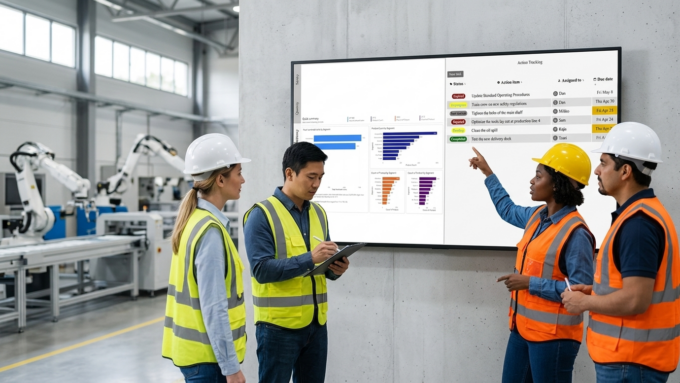
Why Action Items Get Lost Between Tier Meetings
Tier meetings raise issues, decisions, and commitments. Without a place to capture them, they get written on whiteboards that get erased, in a notebook that nobody opens, or in a separate spreadsheet that never gets updated.
Pulling action items into a separate tool — Trello, Excel, paper — breaks visibility. The next tier meeting starts with “where did we land on X?” and the answer is “let me check.”
The Action Items Tracker keeps the open-action list on the same screen as the KPI letters and dashboards. Owners, due dates, and statuses are visible during the meeting that created them — and during every meeting after.
Valotalive’s Action Items Tracker Features
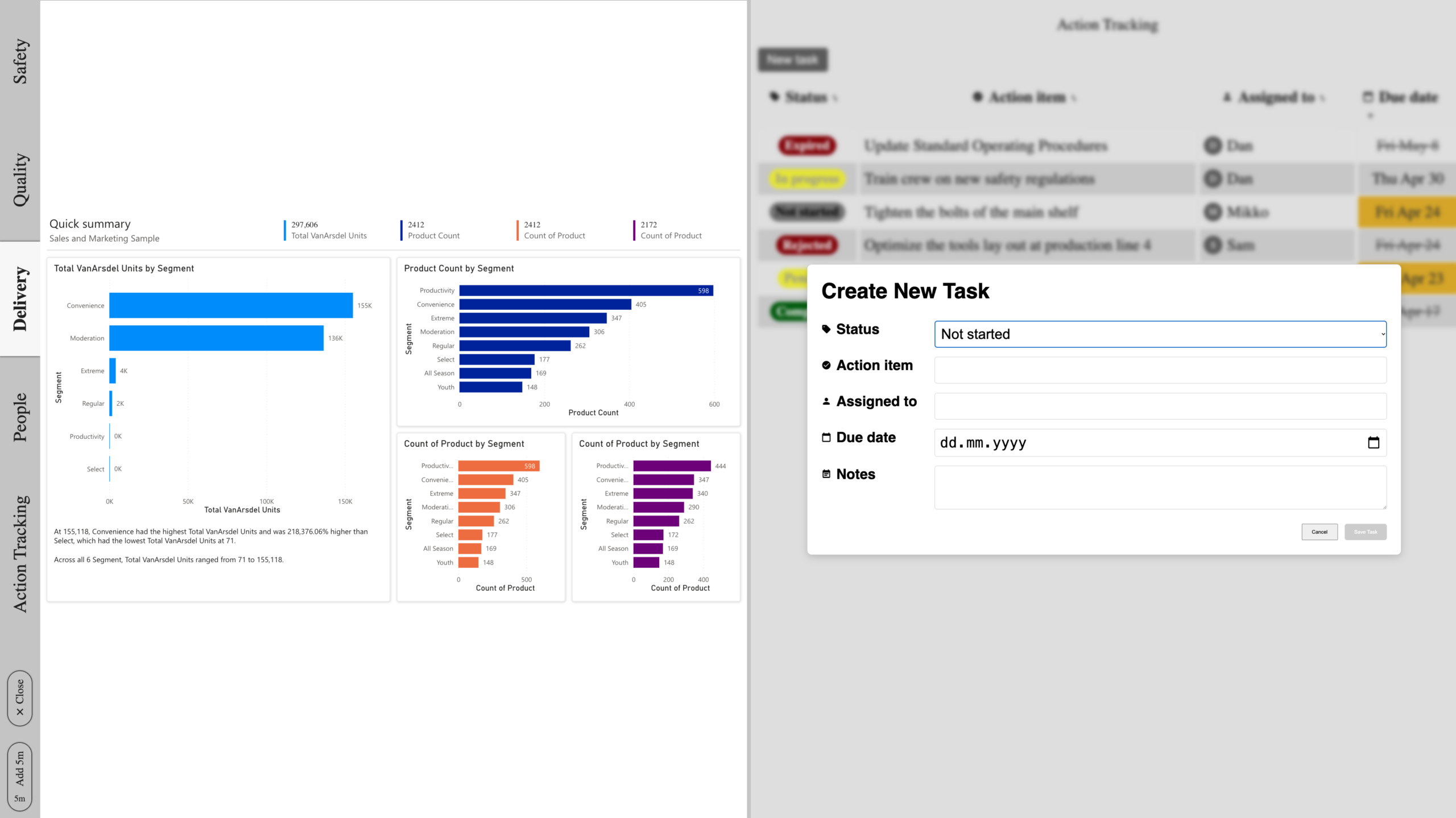
Capture and assign action items during the meeting
- Add a new item without leaving the tier board view — status, action, assignee, due date, and notes.
- New items appear immediately on the same screen as the KPI letters and Power BI dashboards.
- The team that raised the issue is the team that sees it on the board.
Track status at a glance — with past-due flagged automatically
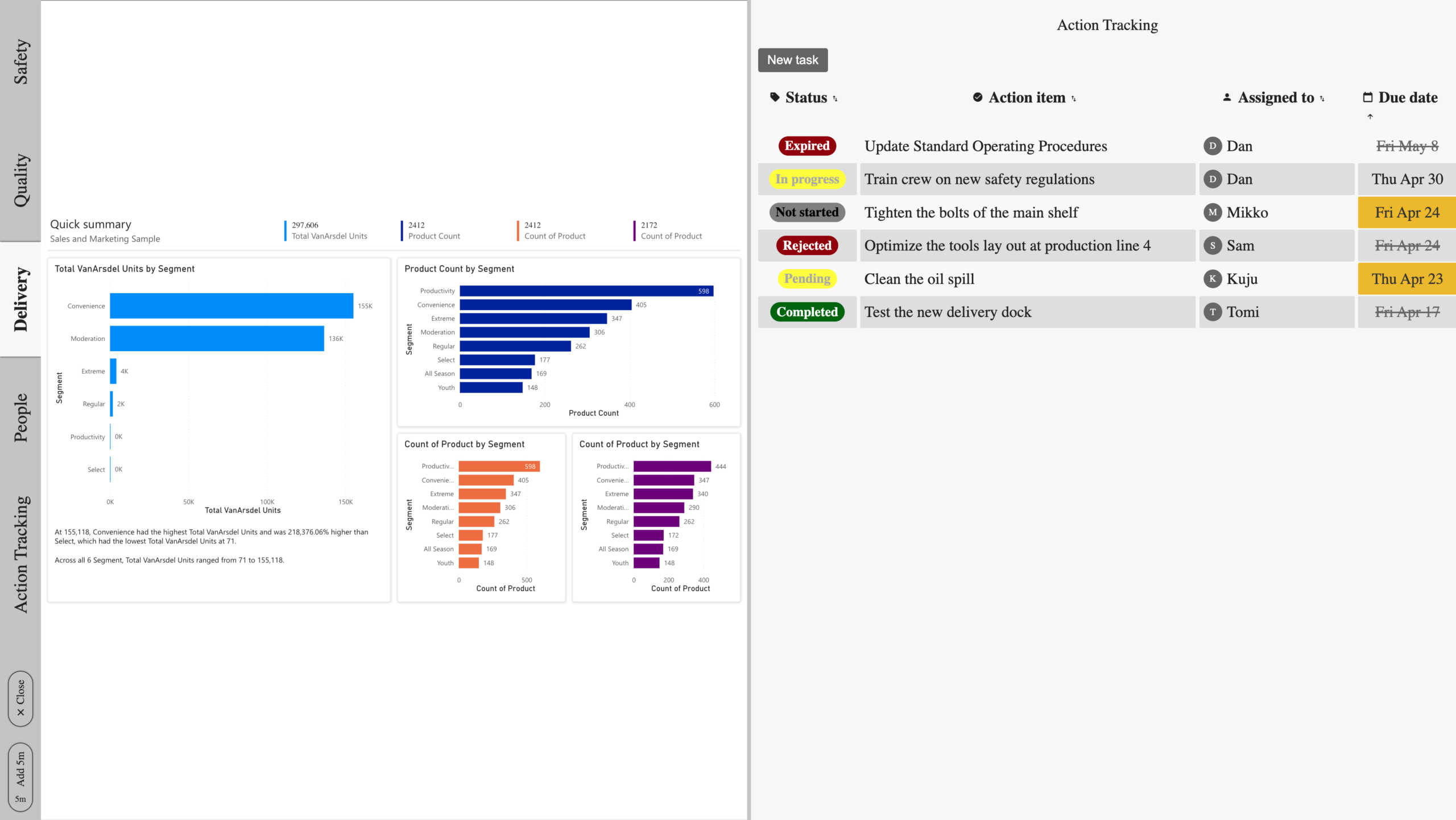
- Six status states cover the full lifecycle: Not Started, In Progress, Pending, Rejected, Completed, Expired.
- Past-due dates highlight automatically. Completed items get marked green and eventually hide from the active list.
- Sort by due date, owner, or status to see what’s overdue or who owns what.
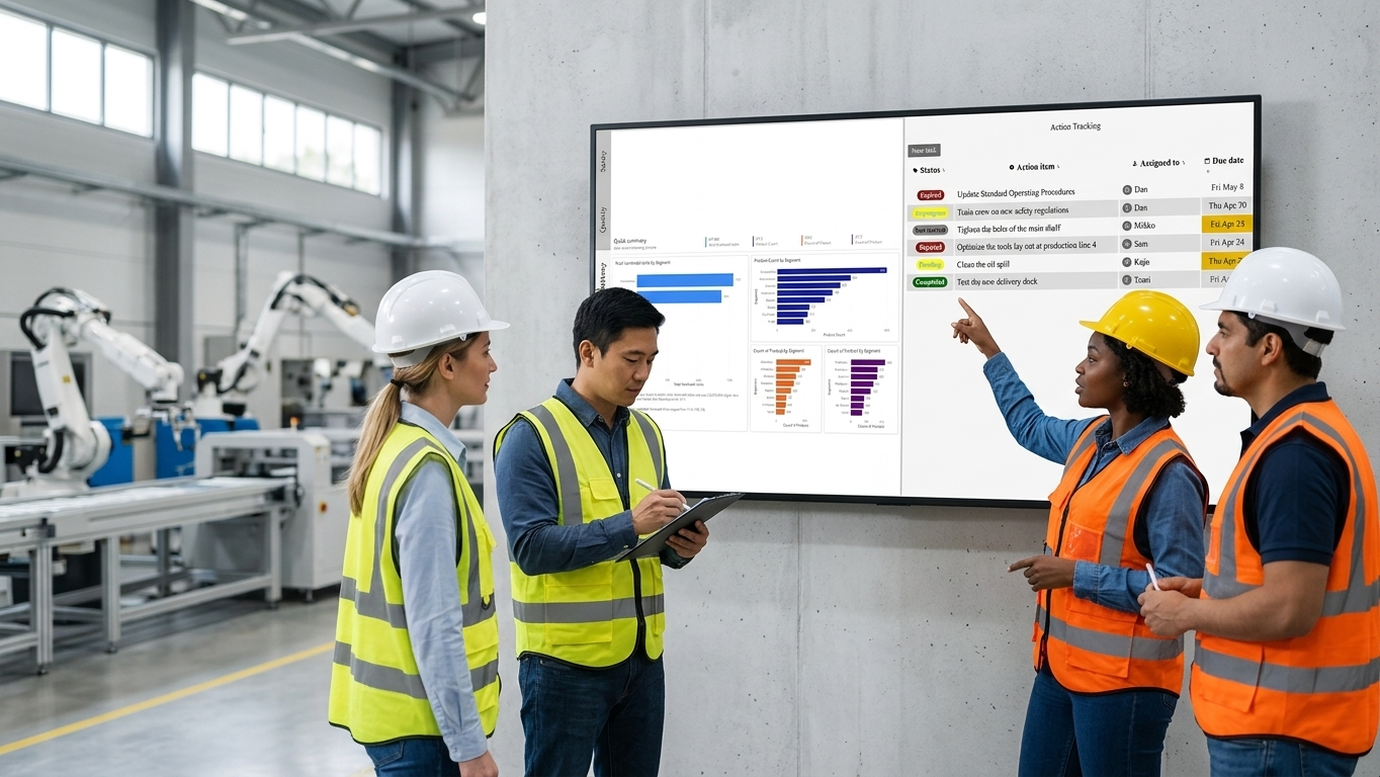
Place the tracker where the team needs to see it
- Configure as a full-screen tab on the Digital Tier Board, or place alongside a Power BI report.
- Issues and metrics stay side by side — decisions and the data behind them on the same screen.
- Pair the tracker with whichever data view the meeting is structured around.
Make Tier-Meeting Decisions Stick, Standardize Daily Management

Visible commitments
Decisions made in the meeting stay visible on the board — written down, owned, dated. No more “didn’t we talk about that?”

Clear ownership
Every action has a name. Every name has a list. Daily management depends on who-by-when, not just what.

Due-date discipline
Past-due items auto-highlight on the screen everyone sees during the meeting. Slippage is visible the moment it happens, not at the next quarterly review.

Closure rate, tracked
Completed items get marked green and roll off the active list. Open items carry over until they’re closed — the loop closes on the same board where it started.
Where the Action Items Tracker Fits
The Action Items Tracker is built into the Digital Tier Board for shop floor tier meetings — but it’s flexible enough to support any structured operating cadence where decisions need to be tracked to closure. It uses the same Digital Tier Board platform; no separate tool, no separate login. Learn how this fits into Digital Signage for Data & Operational Excellence.
Shop floor tier meetings
Capture issues and assign owners during daily SQDC huddles. The action list stays visible alongside the tier board’s KPI letters — open issues are part of the meeting, not a separate report.
Safety and quality reviews
Track corrective actions from safety walks and quality issues directly on the board where they were raised. Past-due items flag automatically — no escalation chain needed to surface a missed deadline.
Production and OEE issue resolution
Pair the tracker with a live Power BI or production dashboard so dips and exceptions captured by the data become tracked actions on the same screen.
Cross-shift handovers
Open items carry over between shifts. The incoming shift sees what was raised, what’s in progress, and what’s due — without a separate handover document.
Frequently Asked Questions
It’s a sub-app included in the Digital Tier Board subscription. There’s no separate license, separate login, or separate tool to manage. The tracker shares the same configuration, user management, and display platform as the rest of the tier board.
Six status states: Not Started, In Progress, Pending, Rejected, Completed, and Expired. Status, action item description, assignee, due date, and notes are the default fields for every entry. Past-due dates highlight automatically, and completed items eventually hide from the active list.
Yes — on a customer-specific basis. The Valotalive team can configure a custom Action Items data syntax for your installation if you need additional fields or want to feed action items from an existing system. Required fields are status, title, edited, created, and due. Customizations are scoped per request.
Not yet automated. Today this is handled case-by-case — the Valotalive team can prepare a custom export file (for example to a CMMS, ERP, or reporting system) on request. Push-out workflows are on the roadmap as the feature evolves.
Two placement options: as a full-screen tab dedicated to action items, or alongside another content app — for example, next to a Power BI report so the actions and the dashboard the team is reviewing sit on the same screen. Placement is configured per tier board, not fixed.
Completed items are marked green with the due date crossed out. They stay visible on the list long enough for the team to see the close-out, then auto-hide so the active list only shows what’s still open.
