Digital Signage Features
Everything your workplace screens can do – in one platform. Browse Valotalive’s digital signage features by capability area, from content management and live dashboards to interactivity and enterprise security.
Start your free trial
- Try with laptop
- No CC needed
- Cancel any time

Jump to a Feature Area
Display & Content Management
Admin Dashboard
- Valotalive’s central cloud-based console for managing your entire screen network.
- Organize apps, content, displays, and users in one place. Monitor device status at a glance, push updates remotely, and structure your screen fleet by site, department, or floor.

Flows — Automated Content Playlists
- Automated playlists that decide what content plays, when, and on which screens.
- Set content priorities, schedule by time of day or shift, and target by screen group. Content rotates in the right order, at the right time, on the right screens.

Screen Groups & Content Targeting
- Organize displays by location, department, shift, or any criteria that fits your organization.
- Target content precisely — safety updates to the production floor, company news to the lobby, shift-specific KPIs to the right team.

Multi-Site Screen Management
- Control screens across all your locations from one console.
- Central content control, remote device monitoring, and fleet-wide updates — whether you have 5 screens in one building or 500 across 20 sites.

Content Scheduling & Targeting
- Automate what plays based on time of day, day of week, or shift pattern.
- Morning safety briefings, shift-specific KPIs, after-hours maintenance alerts — each plays automatically at the right moment.

Multiview — Multi-Zone Layouts
- Split a screen into independent zones, each showing different live content simultaneously.
- A Power BI dashboard next to company announcements next to a safety counter — all updating in real time.
Analytics & Content Network
- A visual overview of your entire digital signage setup — every connection between apps, playlists, and screens.
- Track what plays on which screens, monitor device health, and confirm content delivery across your network.
Interactivity
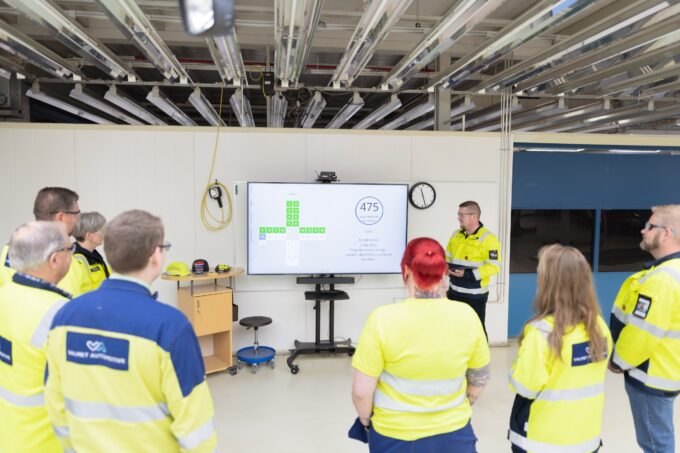
Digital Tier Board
- A purpose-built workspace for manufacturing tier and team meetings.
- Between meetings, the same screen runs your regular signage.
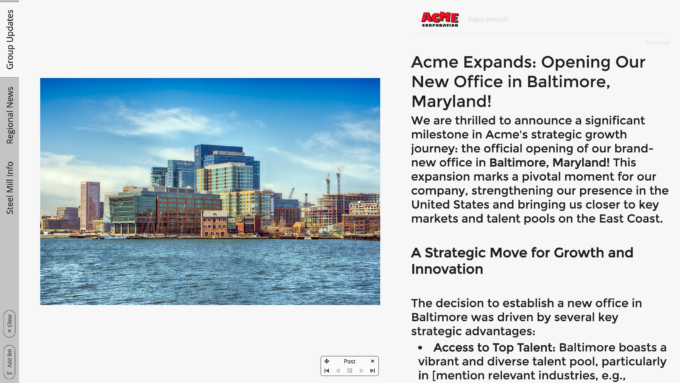
Interactive Notice Board
- Self-service browsing for employees and lobby visitors.
- Tabs for SharePoint, PowerPoint and your own content.
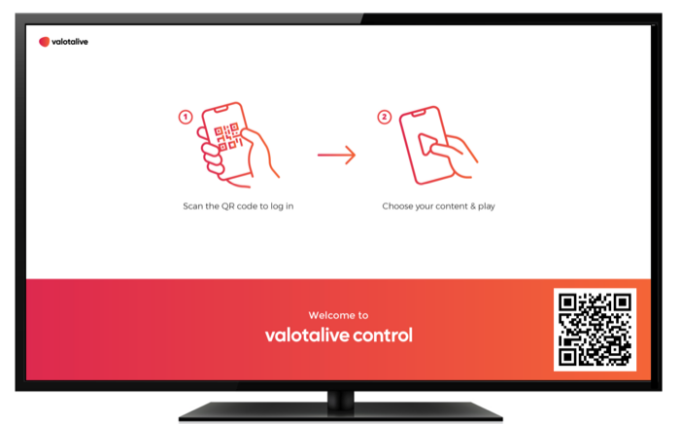
Phone-Controlled Screens
- With Valotalive Control, viewers scan a QR code on the screen and choose from their phone what it shows.
- You decide in advance which content is available.
Data & Dashboards

Live Dashboards — Power BI, SAP, Excel & More
- Put your existing BI tools on workplace screens with automatic data refresh.
- Connect Power BI, SAP Analytics Cloud, Excel, Microsoft Planner, and Jira Cloud — data updates continuously through secure token-based authentication.

Real-Time Data Refresh
- The engine behind every dashboard on Valotalive.
- Screens update on a continuous cycle — production KPIs, sales figures, and safety metrics stay current throughout the day with zero manual intervention.
Content Publishing

My Content Channel
- A content publishing tool that lets HR, comms, and local teams post directly to displays — without needing admin access.
- Target posts to specific screen groups, schedule publication times, and manage everything from a simple web interface or mobile device.

Themes & Branding
- Apply your company’s visual identity consistently across all displays and locations.
- Choose from pre-built themes or configure custom branding — fonts, colors, and logos that carry through every screen.
Embedding — Reach Remote & Hybrid Workers
- Display Valotalive content directly inside your intranet or collaboration tools.
- With My Content Embed, you can also embed specific content channels into SharePoint, Teams, or any web page as a lightweight add-on.
- Remote and hybrid employees see the same live content stream as on-site screens.
Apps & Integrations

40+ Workplace Integrations
- Power BI, SharePoint, Excel, SAP Analytics Cloud, Google Workspace, Slack, Viva Engage, and more.
- Each integration pulls content automatically, keeping screens current as source data changes.

Supported Platforms
- ChromeOS, Windows, Samsung Tizen, or any modern browser.
- Fully cloud-based — no on-premise servers or local software installs. Start with a laptop for evaluation and deploy on dedicated players when ready.
Enterprise & Security

User Management & Role-Based Access Control
- Define who can do what across your entire screen network.
- Assign permissions by role — from super admins managing the full fleet to local content publishers limited to their own screen group.
Security & Compliance
- SAML 2.0 single sign-on, OAuth authentication, secure token-based data connections, role-based access control, and GDPR compliance.
- The security foundation IT teams require for a platform that handles live business data.
Award-Winning Digital Signage