
Live Data for Digital Signage
Live data for digital signage means your Power BI reports, Excel KPIs and Google Sheets tables appear on workplace screens and update on their own. Connect your BI tools once, and screens at every site show current numbers, without shared passwords or anyone refreshing a board.
- Try with laptop
- No CC needed
- Cancel any time
How Real-Time Data Display Works
Connect the BI Tools Your Teams Already Use
Connect Power BI, Excel, SAP Analytics Cloud or Google Sheets directly to Valotalive — authentication handled through your existing Microsoft Entra ID (Azure AD), SAP or Google account. Reports are never published publicly and no shared passwords are stored on display hardware.
Screens keep showing live data without anyone signing in on the device, and without public report URLs or shared credentials. If a connection stops updating, for example after a password change, the app owner reauthorizes it once from the Valotalive dashboard.
Show Different Data on Every Screen
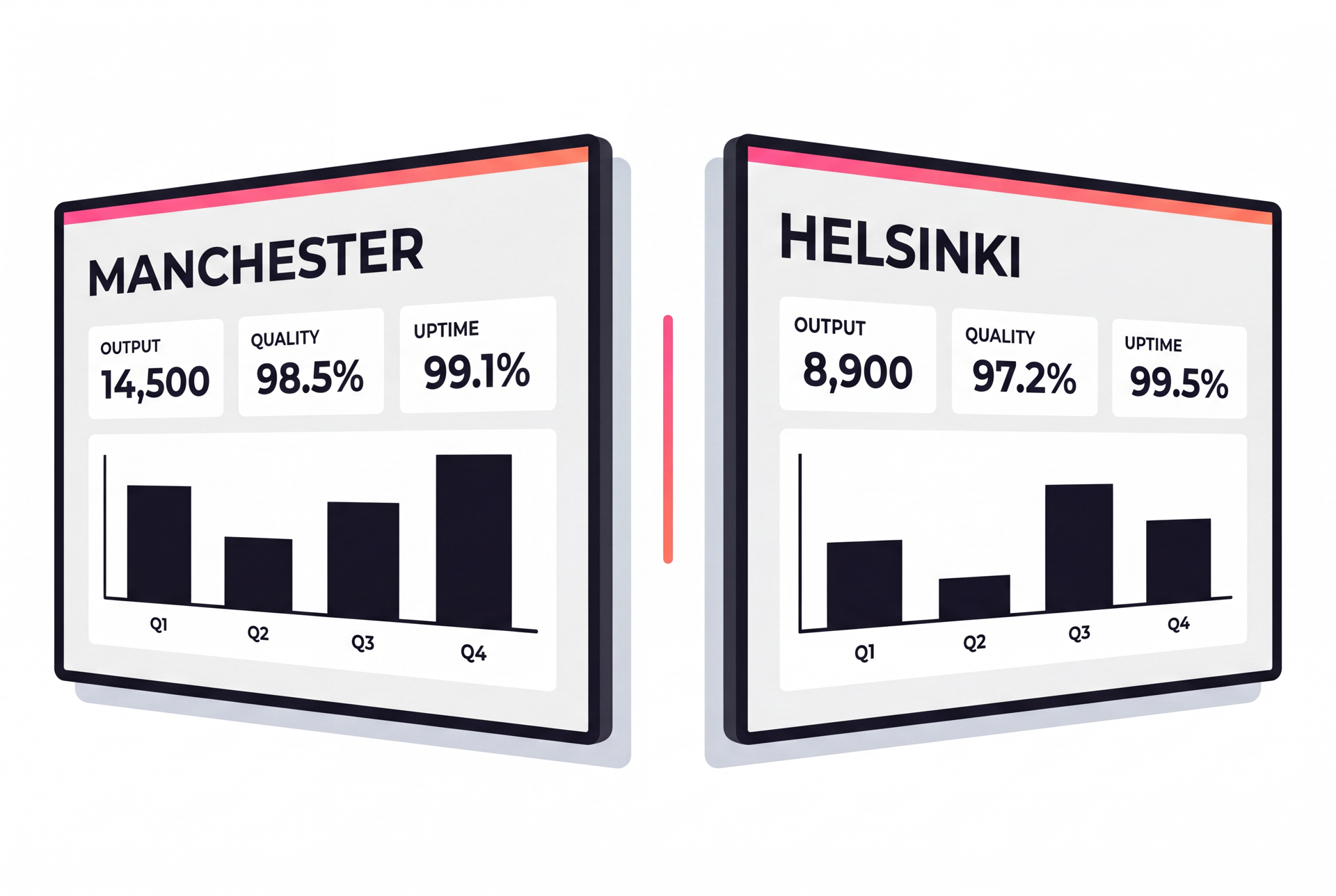
Apply Power BI report filters per display or screen group, so a single report serves every site in your network — each location sees only the data relevant to it. The Manchester site sees Manchester output; the Helsinki site sees Helsinki output — from the same Power BI workspace, managed from one central console.
No duplicate reports and no separate workspace for every location.
Put KPI Dashboards Where Decisions Get Made
KPI dashboards render directly on screen from your live BI or spreadsheet tool — the screen shows the actual report, not a screenshot or export. When your data refreshes in Power BI, the screen picks it up on the refresh interval you set. Excel tables refresh every 15 minutes. Google Sheets data refreshes automatically. See seven examples of live data on factory and warehouse screens.
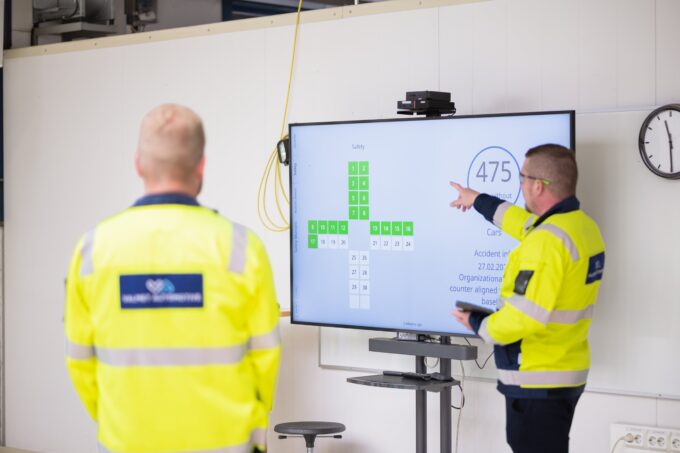
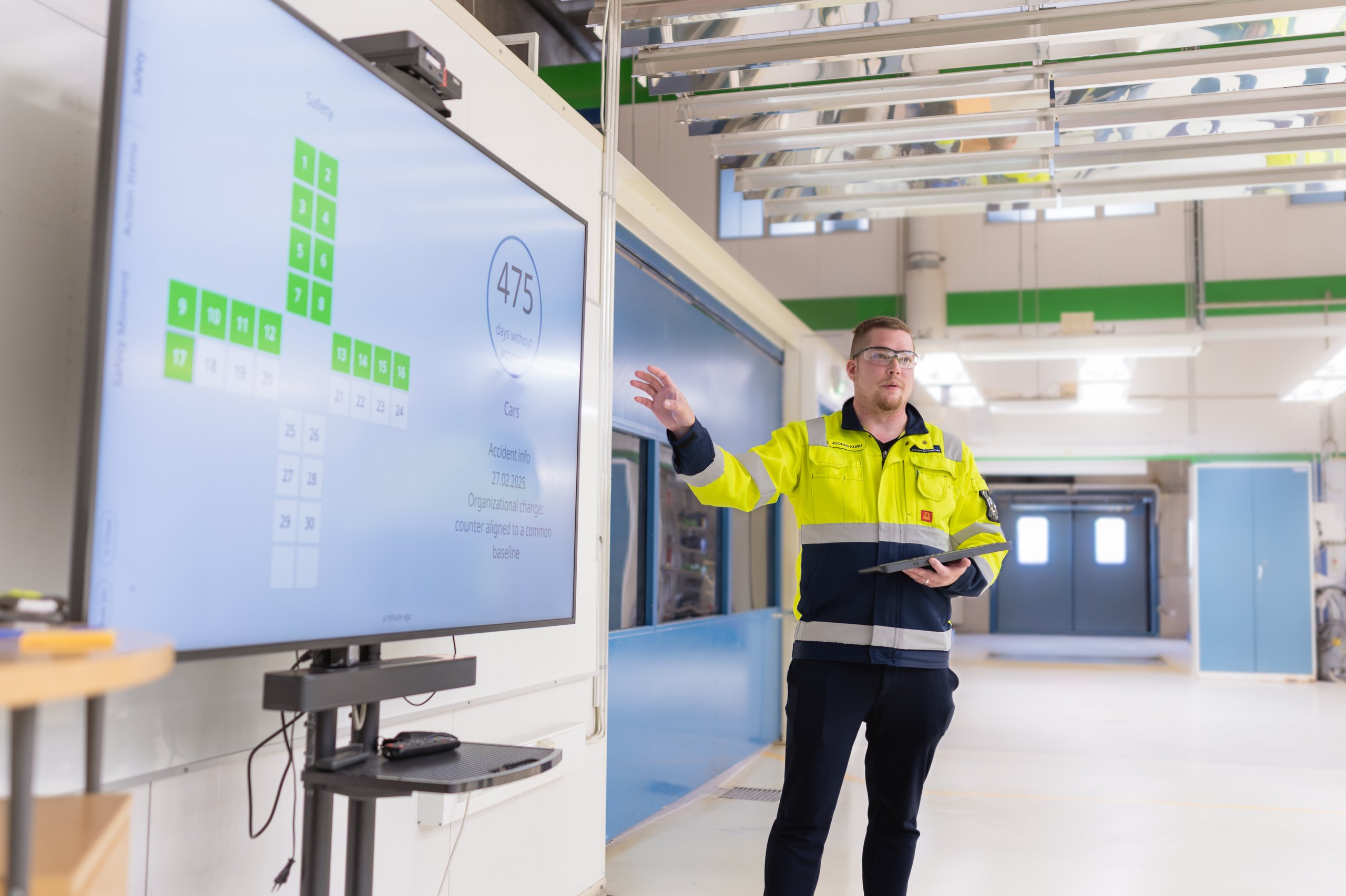
Valotalive’s Multiview layout lets a single screen show a Power BI dashboard alongside an accident-free days counter or a live table — all in one view, all updating independently — without manual exports, email PDFs, or anyone remembering to update the board.

Run Dashboards and Tier Meetings on the Same Screen
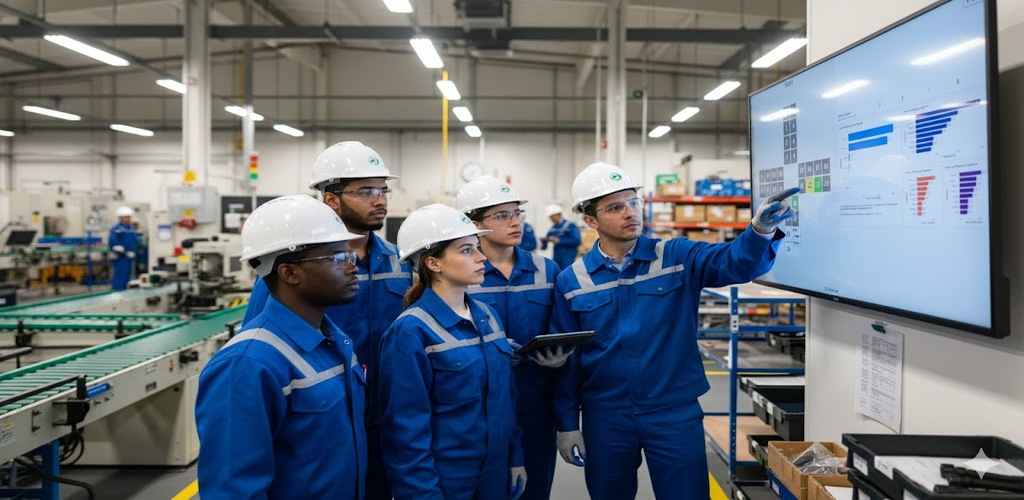
In always-on mode, screens run live KPI dashboards throughout the shift — no one needs to be present, no one needs to log in. When the team gathers for a shift review or tier meeting, the Digital Tier Board overlay activates on the same screen and same hardware.
Teams drill into live data, track actions against KPI categories, and return to the always-on dashboard view when the meeting ends. One screen investment, two modes, without a second device or a separate screen for meetings. Learn more about tiered meetings in manufacturing. The Digital Tier Board is a paid add-on and runs on Windows and Chrome OS players.
Keep Every Screen Live Without Touching It
Valotalive screens stay live across shifts, overnight, and across multiple sites — without anyone in the office babysitting them. Chrome OS players are enrolled and managed centrally via Google Device Manager with zero-touch provisioning. Windows players run in locked-down kiosk mode.
Screen status, content, and online state are all visible from the admin dashboard, so IT teams act centrally, without a local IT presence at each site or a technician visiting screens to restart them.
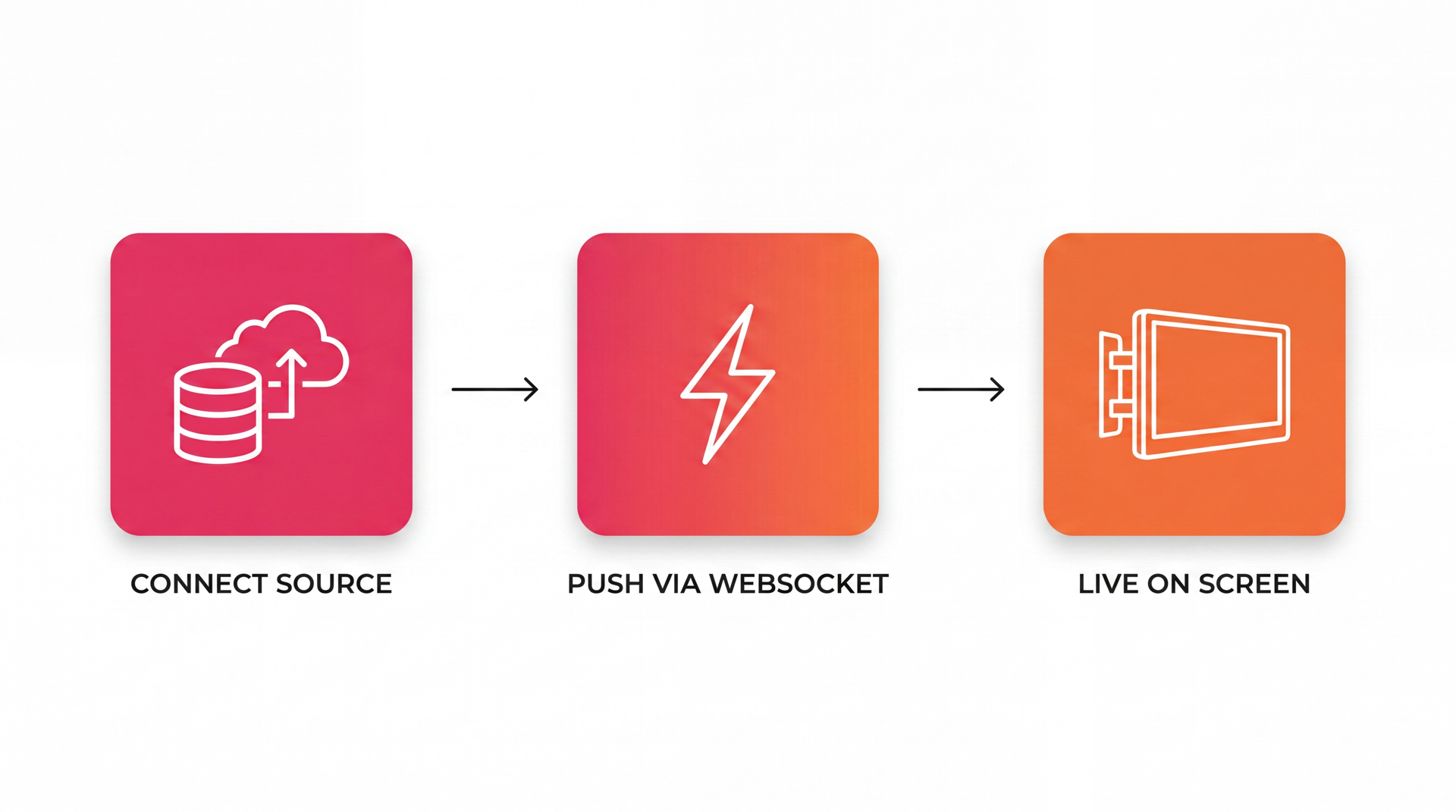
From Data Source to Screen in Three Steps
Connect your data source. Authenticate Power BI, Excel, SAP Analytics Cloud or Google Sheets through your existing identity provider. Valotalive stores nothing on the screen — all auth is centralized.
Build your content and targeting rules. Choose which data to show on which screens. Apply report filters per display group, set layouts with Multiview, and schedule content alongside live data — all from the Valotalive dashboard.
Screens stay live. WebSocket keeps every screen permanently connected to the Valotalive platform. Content updates reach screens instantly. If WebSocket is blocked by network policy, the player falls back to polling automatically. During network outages, cached content continues showing. Read more about the data value chain from source to screen.

Power BI
Data refresh interval you set to match your Power BI dataset. Entra ID auth; report filters per display or screen group.


SAP Analytics Cloud
SAP Analytics Cloud stories and dashboards on screen, activated in Valotalive with a few clicks.


Accident Free Days Counter
Counts and shows accident-free days automatically. Log a new incident from a laptop or phone.

Digital Tier Board
Tap or click the screen to switch to a tier meeting workspace with live KPIs and dashboards.
Frequently Asked Questions
Live data for digital signage means business data, such as Power BI reports, Excel KPIs and Google Sheets tables, shown on workplace screens and updated automatically from the source. Nobody exports a PDF or prints a report. Valotalive connects to the data source through your existing Microsoft or Google sign-in, fetches new data on a set interval and shows it on every screen you choose.
Connect the tool that already holds the metrics, for example a Power BI report or an Excel file in OneDrive or SharePoint, to Valotalive. Choose which screens show it and, with Power BI, apply a report filter so each line or site sees only its own numbers. The screens then update on their own through the shift, with no one logged in on the device.
Valotalive connects natively to Power BI, Microsoft Excel, SAP Analytics Cloud and Google Sheets. Each integration authenticates through your existing identity provider: Microsoft Entra ID (Azure AD) for Microsoft tools, SAP’s app integration framework for SAP Analytics Cloud, Google OAuth2 for Sheets. No shared passwords are stored on screen hardware.
Microsoft Excel data refreshes every 15 minutes. Google Sheets data refreshes automatically. Power BI data is fetched on a refresh interval you set; match it to how often your dataset refreshes in the Power BI cloud. The interactive Power BI Overlay app defaults to 30 minutes. Refresh timing for other integrations follows the data source’s own update frequency.
Yes. Valotalive lets you apply Power BI report filters per display or screen group, so a single report can show site-specific data per location — without duplicating reports or managing multiple Power BI workspaces. Each screen group sees a view-narrowed slice of the same report, with the same Entra ID authentication and from the same central console.
Valotalive runs on Chrome OS media players (centrally managed via Google Device Manager with zero-touch provisioning) and Windows players (kiosk mode, self-managed by your IT team). Your existing display hardware may be compatible — contact the team to confirm. Samsung Tizen SOC devices are supported for most integrations. Power BI reports do not display on Samsung Tizen 6.5, and SAP Analytics Cloud is not compatible with Samsung Tizen.
No. Screens operate without a user logged in on the device. Authentication is centralized in the Valotalive platform — the screen displays live data continuously across shifts, overnight, and across sites, without anyone present. This is what makes Valotalive ‘always-on’ in practice, not just in marketing copy.
Valotalive manages all screens — whether in one building or spread across continents — from a single admin console. Content is delivered through a distributed CDN for consistent performance globally. Screen status, online state, and content are all visible centrally. Chrome OS devices support zero-touch provisioning, so new screens come online without local IT involvement.
Yes. Valotalive authenticates through your existing Microsoft Entra ID (Azure AD) or Google identity provider. Reports are never published publicly and no shared passwords are stored on display hardware. If a password changes, the app owner reauthorizes the connection once from the Valotalive dashboard. The Valotalive platform is continuously monitored, and device management is centralized for Chrome OS players.
No separate device beyond the media player is required. Valotalive runs on Chrome OS players and Windows players — your existing display hardware may already be supported. The Digital Tier Board interactive mode (a paid add-on for Windows and Chrome OS players) runs on the same screen and same hardware as the always-on dashboard mode. Contact the team to confirm compatibility with your current display setup.
