
SharePoint: Display your News and Blogs on your digital signage screens
Valotalive’s SharePoint Digital Signage App puts your SharePoint news, announcements, and employee recognition directly on workplace screens — automatically, without manual publishing. SharePoint serves over one billion users worldwide (Microsoft, 2024); Valotalive connects that content to the frontline workers who aren’t sitting at a desk.
Connect via OAuth 2.0 with Microsoft Entra ID credentials, customize appearance to match your brand, and use AI Smart Summaries (powered by Gemini) to auto-condense content into scannable digests. Works on Windows, ChromeOS, and Samsung Tizen.
New! AI Smart Summaries ❄ feature included in the app.

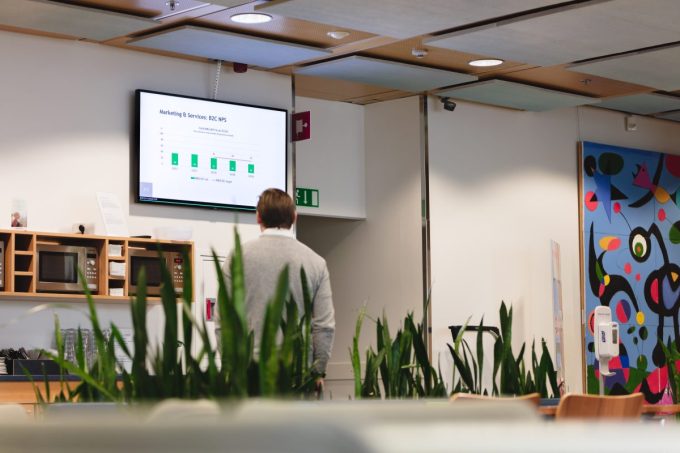
How to display news easily with the SharePoint News App?
Share curated SharePoint news with relevant people, easily
- Log in to Valotalive Dashboard
- Next to “Apps,” click the plus icon and search for SharePoint
- When activating the app, authenticate securely using your MS Entra ID Credentials
- Choose the site in question, input other settings, and save
- You are done and ready to assign your app to the displays!
Read more about amplifying your SharePoint news with digital signage.


Secure integration with MS Azure AD authentication
- Valotalive’s SharePoint Digital Signage app uses OAuth 2.0 authentication
- Use your Microsoft Entra ID Credential to authenticate
- Your information is safe, and no one outside the company can access it.
Communicate not just your key message but also your brand
- Using SharePoint news on corporate TVs is a great way to ensure all employees see important information.
- Communicate more effectively by adjusting transition times, number of publications, CTAs, and local date formats
- Align all communications with your brand with logos, images, and pre-defined visual themes
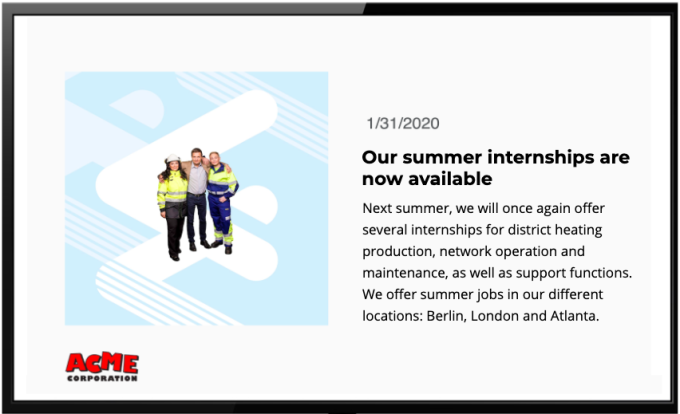

Digital signage for SharePoint that works with any hardware
- Valotalive’s SharePoint app works with SharePoint Online. If you’re using SharePoint in an on-premises environment, please contact your admin.
- You can use Valotalive with any Windows, ChromeOS or Samsung Tizen device to display content on your info screens
AI Smart Summaries ✦ Feature included
- Improve readability on digital signage!
- This setting uses AI (Gemini) to create a short, easy-to-read digest of your posts.
- Post content is sent to Gemini for summarization, and the condensed version (3-4 bullet points) is displayed.
- Smart Summaries is available for all customers in Beta

What our customers have to say
“The biggest advantage of Valotalive is the streamlining of our internal communication. We can now quickly inform the entire staff and target messages to specific target groups.
The biggest group to benefit is production employees, being able to easily see topical news on our info screens. For white-collar workers, Valotalive digital signage is a supporting communications channel in addition to the intranet and email.
Alongside sharing topical information, we’re using integrations to pull data to our info screens automatically. This helps the personnel get a clearer picture of what is happening in production.”

Start using Valotalive Digital Signage for SharePoint for free
To get started, you need to create your Valotalive account here for free and activate the SharePoint app (under Apps). You will then be asked to authenticate Valotalive with Microsoft Power BI cloud using your MS credentials.
Learn how to use the SharePoint App. Our guide will walk you through everything you need to know.
After that, you can follow these steps to activate your app and share content with the Valotalive SharePoint app.
Before going live, we recommend starting with the Valotalive Web Player to easily test what your content flow looks like on a digital signage info screen without having to set one up — it runs in your browser, no installation. Alternatively, you can set up Valotalive on your own media player running Chrome OS or Windows 10.
Frequently asked questions
Looking for more?
Ready to take your digital signage to the next level? Our Excel app allows you to display real-time data from your spreadsheets, turning static screens into dynamic dashboards.