
Safety & Compliance Displays: Live Safety Where Work Happens
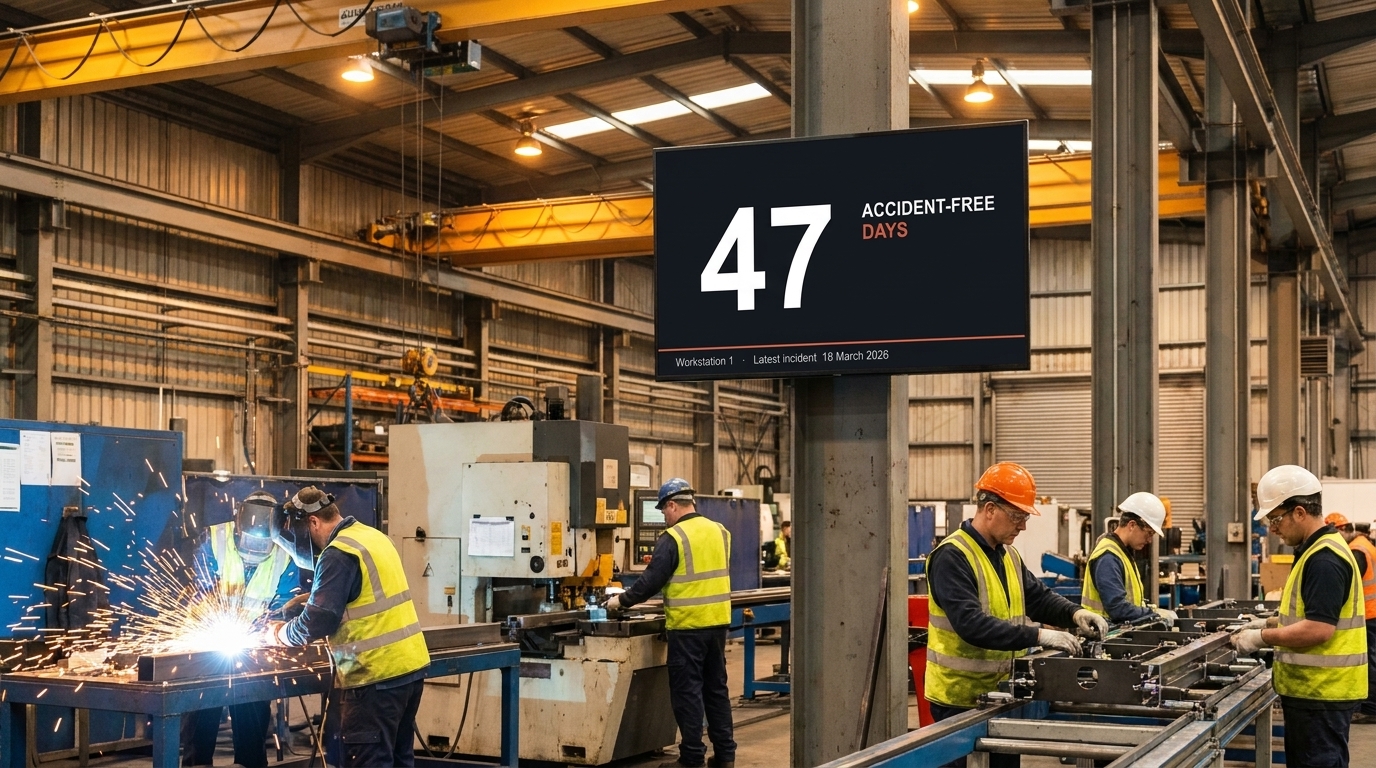
Safety and compliance displays are digital screens that show live safety metrics, accident-free day counters, compliance alerts, and emergency information directly on the production floor — where deskless workers actually see them. Valotalive replaces manually updated bulletin boards, printed safety crosses, and intranet posts that frontline workers can’t access.


Why Switch to Safety and Compliance Displays?
Your safety metrics stay current automatically — no one updates a whiteboard, no one prints a new accident counter every morning. Every employee sees live safety data on screens where they work, even if they don’t have email or intranet access. Urgent alerts publish to every site within seconds. And when the team gathers around the screen — for a tier meeting or a procedure lookup — the same display can also be used interactively.
How Do Safety and Compliance Displays Compare to Manual Methods?
See what changes when you move from manually updated safety boards and printed posters to always-on digital displays:
| Manual (Bulletin Boards, Printed Posters, Email) | Safety & Compliance Displays on Valotalive | |
| Data freshness | Yesterday’s accident counter — manually updated each shift | Live counter and live KPIs from BI sources, refreshed automatically |
| Reach | Workers without email or intranet rarely see safety updates | Visible on screens in every work area — no login, no device required |
| Maintenance | Someone walks around and updates each board every shift | Connect once, run continuously — content updates centrally |
| Speed of alerts | New hazard or incident shared in next shift briefing | Urgent alerts appear within seconds across every screen and every site |
| Multi-site consistency | Each site maintains its own posters and counters | One safety standard deployed from one console across all facilities |
| Engagement | Static posters become invisible after a few days | Live data, rotating content, and interactive review keep safety visible |
How Do Safety and Compliance Displays Work on Valotalive?
Valotalive turns any screen on the production floor, in break rooms, or at site entrances into a live safety and compliance display. Here’s how:
- Connect your safety data sources. Pull live safety KPIs from Power BI, SAP, Excel, or any web-based dashboard your EHS team already uses — TRIR, LTIFR, near-miss reports, observations completed, audit findings. Each data source authenticates once with secure tokens — no logins on the screens themselves.
- Add the accident-free days counter. The accident-free days counter app automatically tracks accident-free days and resets when an EHS manager logs an incident from a phone. Up to 25 managers per counter via personal email links. Configure calendar logic to count working days only.
- Combine views with Multiview. Place an accident-free counter, live TRIR trends, and the day’s safety message side by side on one screen. Each zone updates independently.
- Schedule with Flows. Schedule daily safety messages for shift starts, prioritize compliance alerts when an incident occurs, and rotate between dashboards, regulatory notices, and toolbox-talk reminders throughout the day.
- Push urgent alerts instantly. Use My Content to publish a hazard notice, evacuation message, or compliance alert in seconds. Target every screen company-wide, or scope to a specific site, building, or shift using Screen Groups.
- Switch to interactive mode when the team gathers around the screen. One tap turns the safety display into a Digital Tier Board for daily tier meetings — or into an Interactive Notice Board where employees browse safety procedures, MSDS sheets, and SharePoint EHS content on the spot. After use, the screen returns to always-on mode automatically. (More on these two modes below.)
From Always-On to Interactive: How the Same Safety Display Does Both
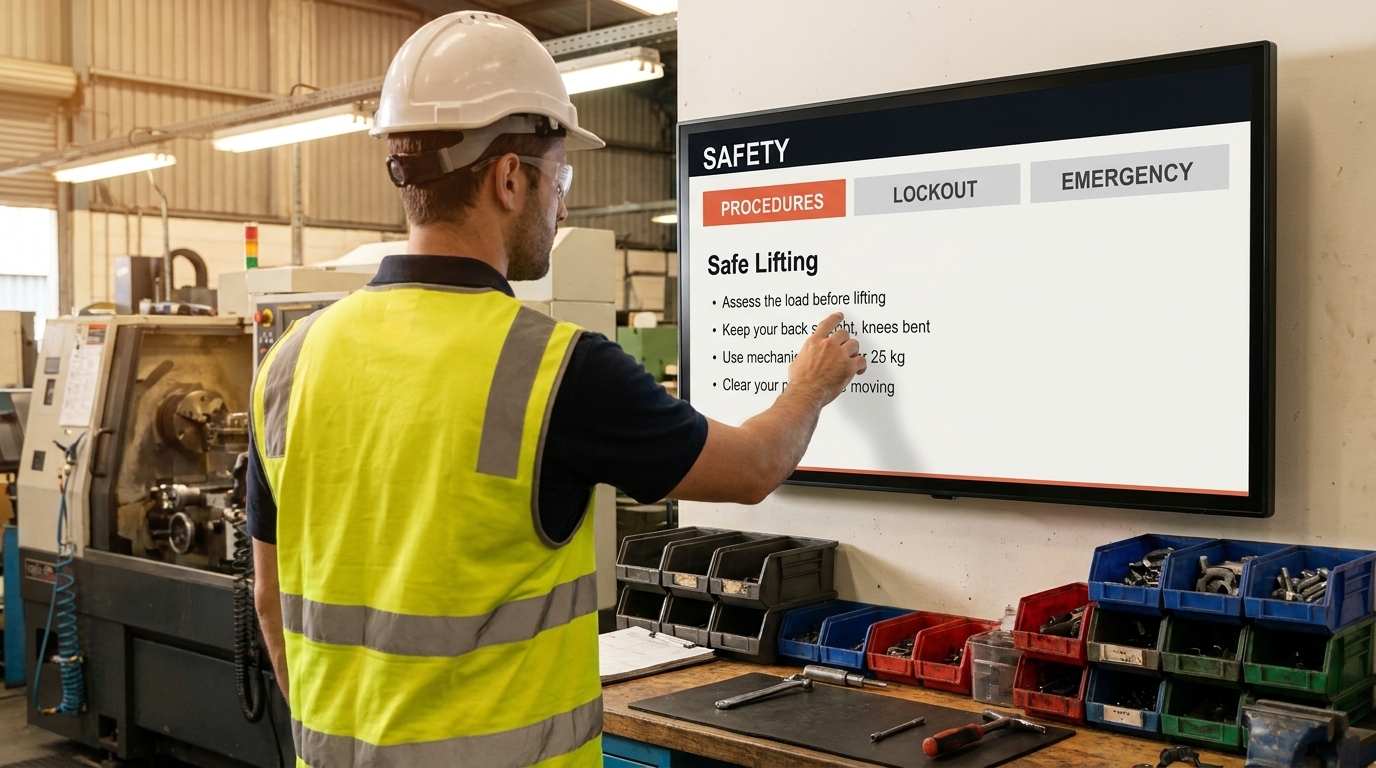
The same safety display works in two modes. Most of the time it runs always-on, showing live safety data automatically. When the team gathers around it, one tap switches the display into interactive mode.
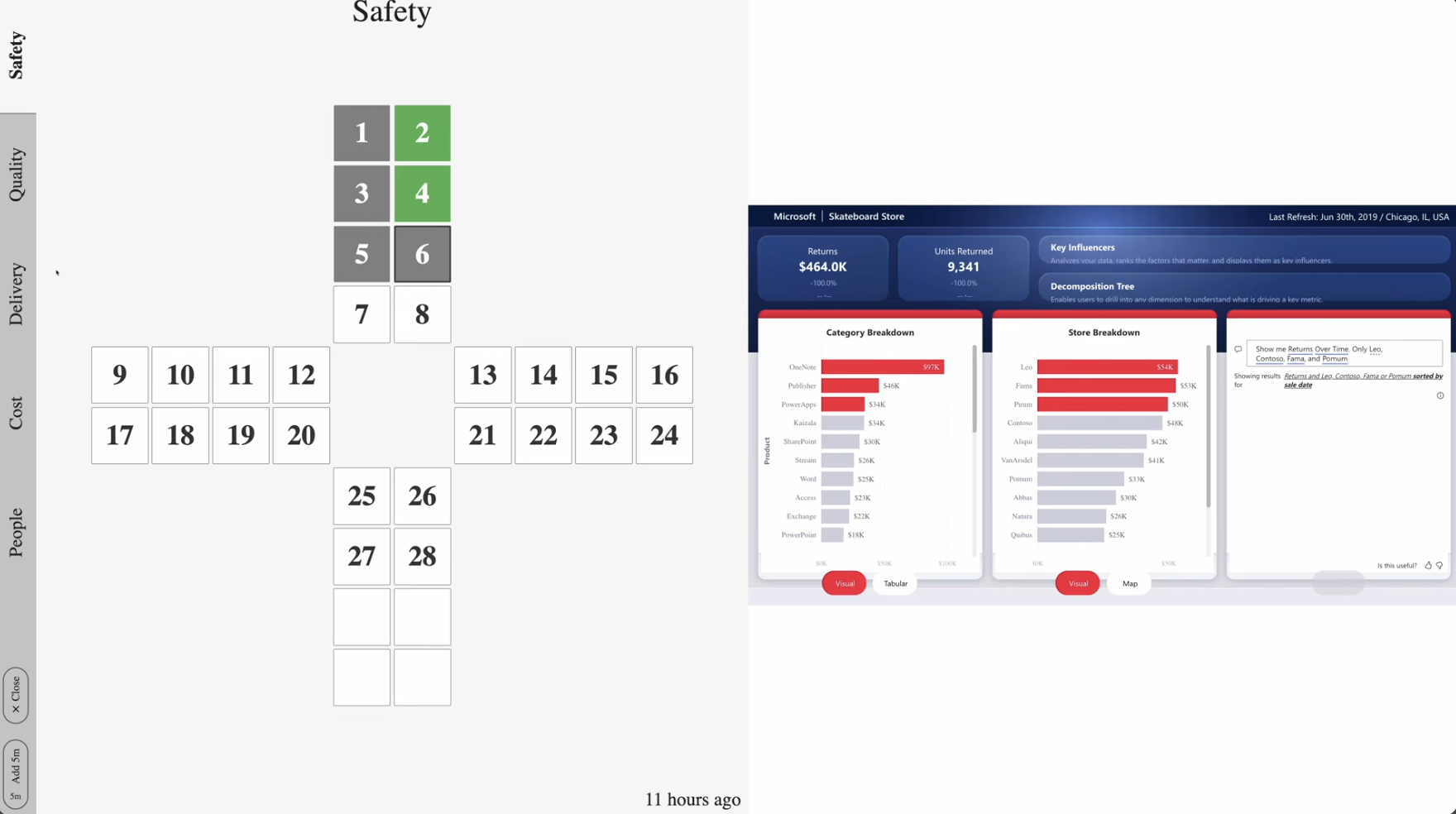
Always-On: live safety dashboards throughout the shift. Most of the shift, the screen runs in always-on mode — the accident-free counter, live TRIR and LTIFR trends from your BI tools, and the day’s safety messages on automatic rotation. No login, no interaction, no manual updates. Workers see live safety data wherever they work, even without email or intranet access.
Interactive: tier meetings and on-demand EHS reference. When the team gathers around the screen, one tap switches it into one of two workspaces. The Digital Tier Board opens with the safety pillar of the daily tier meeting — near-misses, observations, KPIs — and corrective actions get logged directly on the touchscreen. Operations and Lean teams treat this as the ‘S’ pillar of their SQCDP board. The Interactive Notice Board lets employees browse safety procedures, MSDS sheets, and SharePoint EHS content as tabs they tap on the spot.
Who Uses Safety and Compliance Displays?

EHS and Safety Managers. Get real-time visibility into safety performance at every site without waiting for a weekly report. Live KPIs from your existing BI tools display directly on the floor — TRIR and LTIFR trends, near-miss counts, observation completion rates, audit findings. Push urgent alerts and compliance notices to every screen across every facility in seconds. For regulated industries, the same setup supports GMP compliance communication and ISO 45001 documentation. Note: Valotalive is not itself GMP-validated software (it is not an eQMS) — it is a communication tool used inside GMP-compliant organizations.
Operations and Lean Managers. Run the safety pillar of your daily SQCDP tier meeting on the same screen that runs production dashboards the rest of the shift. Review near-misses, drill into safety KPIs alongside quality, delivery, cost, and people metrics, and log corrective actions in real time. Standardize the safety review process across every shop floor.

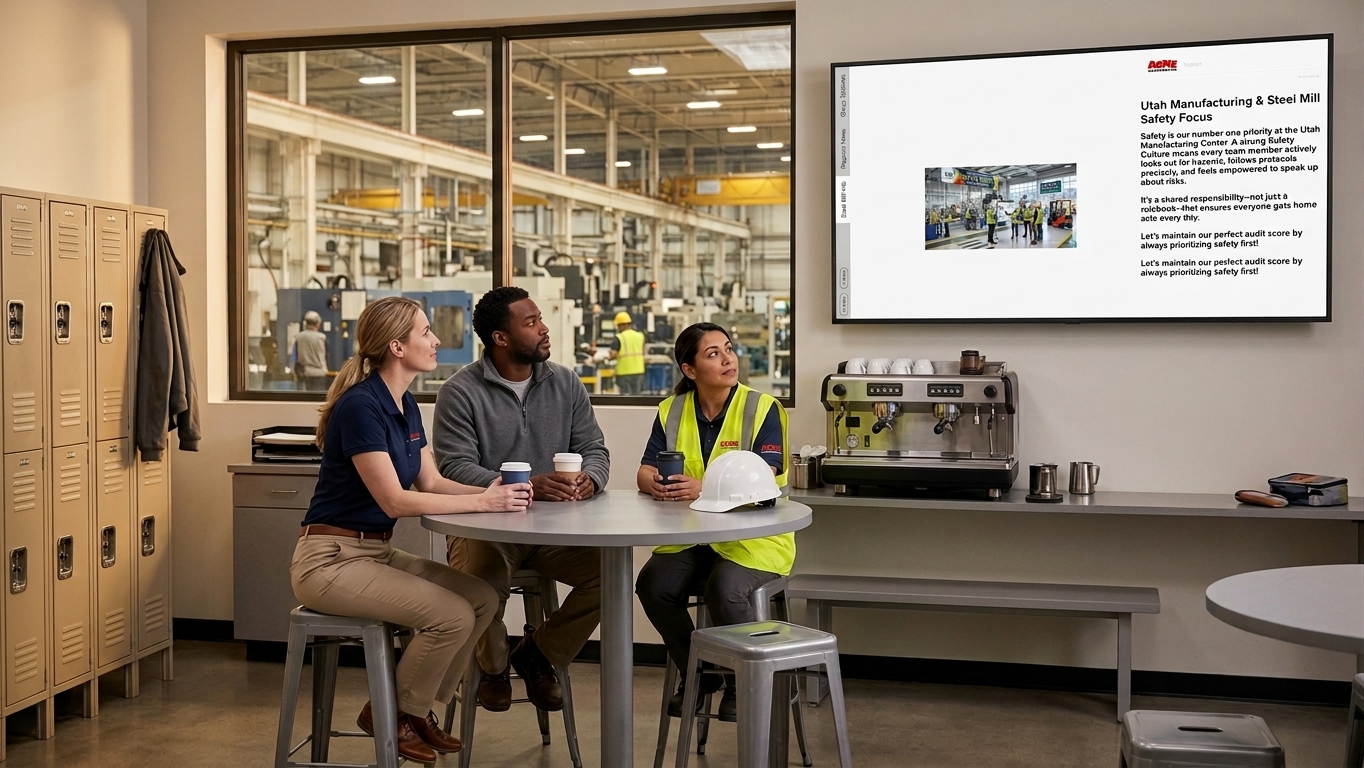
HR and Internal Communications. Reach every employee with safety messaging — including the deskless workers who don’t check email or log into the intranet. Schedule shift-start safety reminders, post the day’s hazard awareness topic, and combine safety messaging with company news on the same screens. Target content by site, department, or shift so every team gets the safety information that’s relevant to their work. The same setup also covers visitor safety briefings on entry — one global industrial customer configures their visitor information package on the screen with multiple tabs, including a dedicated safety video alongside site information.
What Changes When You Switch From Manual Safety Boards to Live Displays?
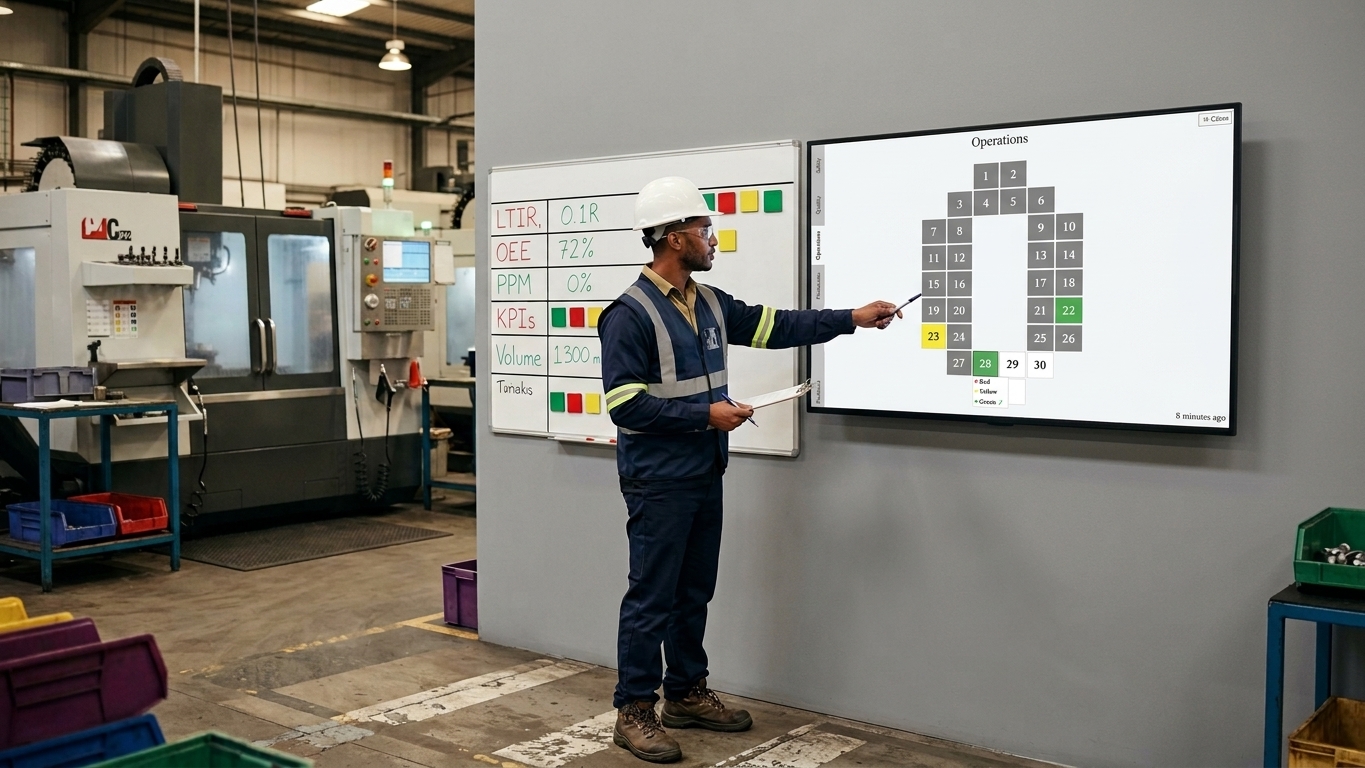
Frontline workers actually see the safety data. Shared computers and intranet portals are available on most factory floors, but deskless workers rarely use them — there’s no time, and the workflow doesn’t include sitting down to read. Screens placed in work areas and break rooms put the data in front of workers without requiring any action from them. Incidents publish across every site within seconds. When something happens at one facility — a near-miss, a new hazard, a PPE update — the alert reaches every screen at every other site instantly through Screen Groups.
The accident-free counter never gets stale. The counter updates automatically every day. When an incident occurs, an EHS manager logs it from the Mobile App on a phone — adds a description, picks the date, hits ADD — and every screen across the site reflects the change at once. Tier meetings start with safety already on screen. No one walks to a board, looks up the latest near-miss count, or prints yesterday’s TRIR trend. Multi-site safety standardization becomes practical — group EHS leaders compare safety performance across sites without each location maintaining its own ad-hoc system.
How Do Safety and Compliance Displays Fit Into a Broader Platform?
Safety and compliance displays are one use case of the Valotalive workplace display platform. The same infrastructure powers live production dashboards, digital meeting boards, employee information boards, shop floor communication, and corporate communications — all managed from one cloud console, with 50+ integrations including Power BI, SAP, SharePoint, and Excel. Most customers start with one safety display use case and expand to digital signage for manufacturing across the rest of the operations stack.
Frequently Asked Questions
Valotalive integrates with Power BI, SAP Analytics Cloud, Microsoft Excel, Google Sheets, Tableau Public, Qlik Sense, and any web-based dashboard via the Web App. EHS teams typically display TRIR, LTIFR, near-miss counts, observation completion rates, audit findings, and days-since-last-incident. The accident-free days counter has its own dedicated Valotalive app — no BI tool required.
The counter app comes in two parts: a Display App that runs on your screens and a Mobile App that managers use to log incidents from a phone or laptop. Set the worksite name, start date, theme, and label once. Configure calendar logic to exclude weekends and Finnish national holidays, or add custom exception ranges. Up to 25 managers can be added per counter via personal email links. The app UI supports English and Finnish.
Yes. Publish a hazard notice, evacuation message, or compliance alert through My Content and target every screen company-wide, or scope to a specific site or shift using Screen Groups.
Yes — for the communication layer of your compliance program. Valotalive supports GMP compliance workflows by visualizing real-time KPIs, displaying SOP reminders, broadcasting safety alerts, and reinforcing employee training. Note: Valotalive is not itself GMP-validated software (it is not an eQMS) — it is a communication and visualization tool used inside GMP-compliant organizations.
Yes. Use Multiview to show safety metrics and production dashboards side by side, or use Flows to rotate between them on a schedule. Most operations teams combine the two — safety pillar metrics next to OEE and throughput in one view.
Yes. One tap switches the safety display to a Digital Tier Board — an interactive workspace for tier meetings where teams review the safety pillar of their SQCDP board, drill into near-misses, and log corrective actions. When the meeting ends, the screen returns to live safety mode automatically.
Place screens where work happens — production lines, break rooms, locker rooms, site entrances. Workers see live data and alerts without needing email, intranet access, or a personal device. Use Screen Groups to make sure each location and shift gets the safety content relevant to them.
Most teams have safety displays running within a few days. Activate the accident-free days counter or connect a BI safety dashboard, configure which screens show what, and you’re live.
Get Started With Safety and Compliance Displays

1. Start your free trial
Sign up in your browser — no credit card, no installation, no hardware needed.

2. Activate your safety setup
Activate the accident-free days counter, or link your Power BI or Excel safety dashboard. One-time setup, then it runs.

3. Display on your screens
Choose which screens show what. Use Screen Groups to target by site, building, or shift. Go live in minutes.