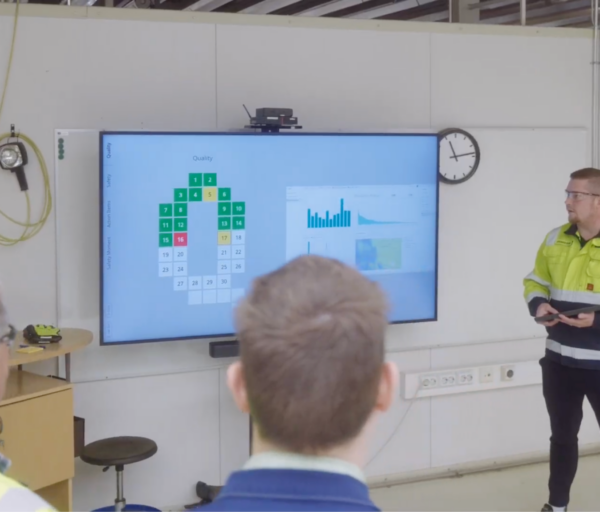
Turn your TV into a digital bulletin board for real-time communication with non-desk workers.
Share production KPIs, company news, and shift updates in real time, across every site, without manual effort.
Manage content and automate messages to play at the right time remotely.
Deliver dynamic, up-to-date information directly to the people who don’t sit at a desk — on shop floors, in warehouses, in lobbies.
What is a digital bulletin board?
A digital bulletin board is a TV-like display used to show information, notifications, and daily updates in places where it can be seen. It helps manufacturers and operations-heavy organizations quickly share KPI updates, safety highlights, shift announcements, and company news with non-desk workers — wherever they actually work.
In practice, digital bulletin boards can be used to:
- Deliver real-time updates to employees
- Display real-time production KPIs from Power BI and Excel
- Broadcast shift handover notes and tier meeting outcomes on the production line
- Schedule and display tailored welcome messages
- Highlight employee milestones such as achievements and birthdays
- Promote workplace safety and deliver security messages
- Share relevant company news and announcements
How to customize your digital bulletin boards with multi-app screen layouts
Valotalive’s digital bulletin board platform makes it easy to create and manage your screens using content your business already has.
Instead of a generic template gallery, you can use tools such as PowerPoint or Google Slides, or combine content through flexible screen layouts that display multiple apps at once.
Valotalive replaces multiple traditional boards with a single cloud-based platform to manage all screen content in one place. Content can be published without separate design tools.
The entire communication is automated with scheduling and prioritisation. This ensures consistent messaging across locations, reduces manual work, and keeps screens up to date.
Multiview: show multiple apps on one screen
With Multiview screen layouts, you can show different types of content simultaneously — for example, a Power BI dashboard alongside SharePoint news alongside an accident-free-days counter, all on the same TV. Themes ensure consistent branding with your company’s fonts, colors, and logo. The entire system updates automatically when your source content changes so your screens stay current without extra work.
For the shop floor specifically, Valotalive offers two products built on the same platform: the Digital Tier Board for daily tier meetings with interactive KPI letters (Q/D/P), and the Interactive Notice Board for browsable information tabs (SharePoint, PowerPoint, ad-hoc announcements) on a single interactive display. The same screen can switch between passive dashboards and touch-interactive content — one setup, two modes.
Valotalive displays your content automatically on your screens, using an integration-first approach that requires no learning curve and no separate design tool.
Benefits of using Valotalive’s digital bulletin board
Valotalive’s digital bulletin board takes a modern, automated approach that goes above static signage in modern workplace communication, especially for distributed and non-desk workforces. It enables companies to deliver the right information to the right people, in real time, without manual updates or design work.
Valotalive connects to 40+ business apps like Power BI, SharePoint, Excel, Teams, and Slack, so content updates automatically as data changes.
With Flows, which is essentially a smart playlist, content from multiple sources can be scheduled, prioritized, and rotated automatically based on importance or set timing.
For quick updates, My Content Channel makes it easy to publish announcements from any device, with scheduling and automatic expiry. All screens can be managed remotely from one central dashboard, and content can be targeted to specific locations, or departments.
AI Smart Summaries (Beta) can help simplify communication by turning SharePoint news into short, easy-to-read bullet points for screens.
Bring your communication to life with Valotalive
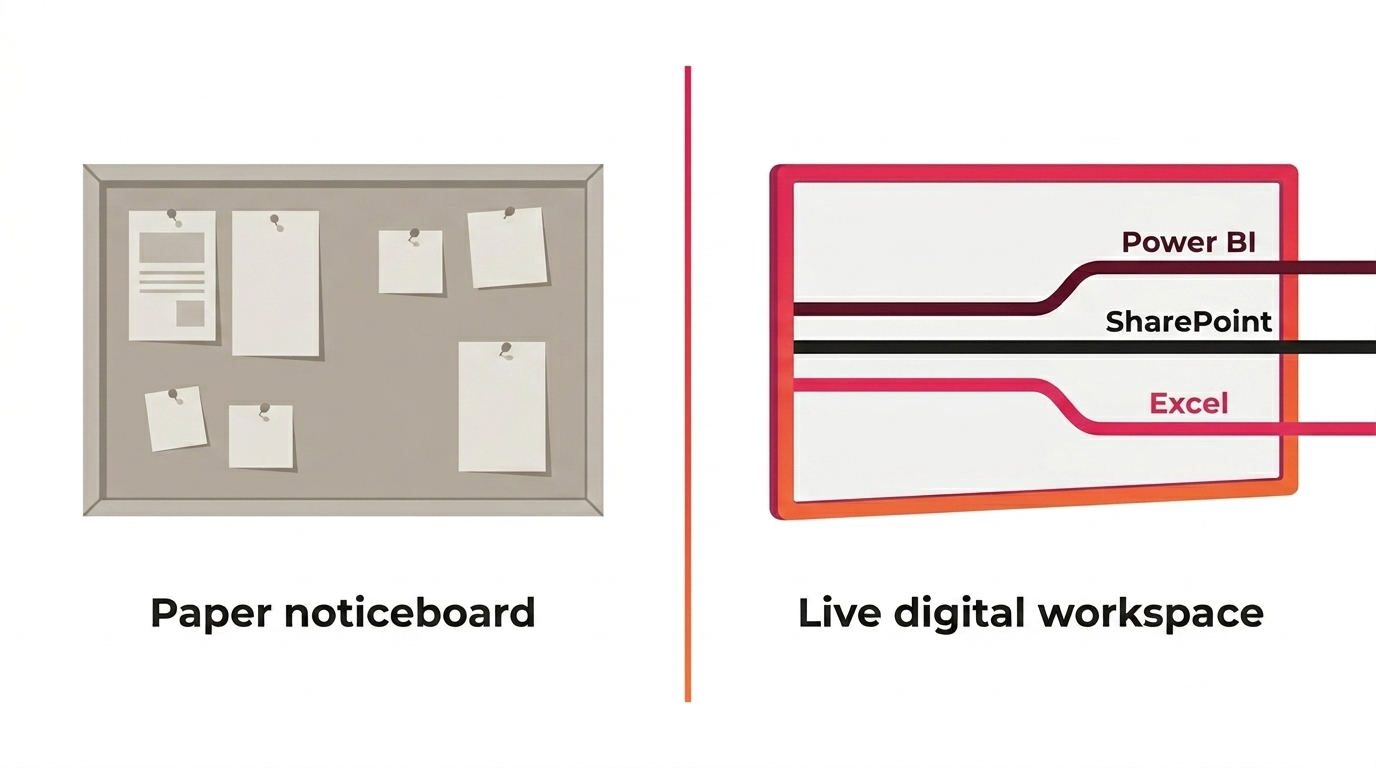
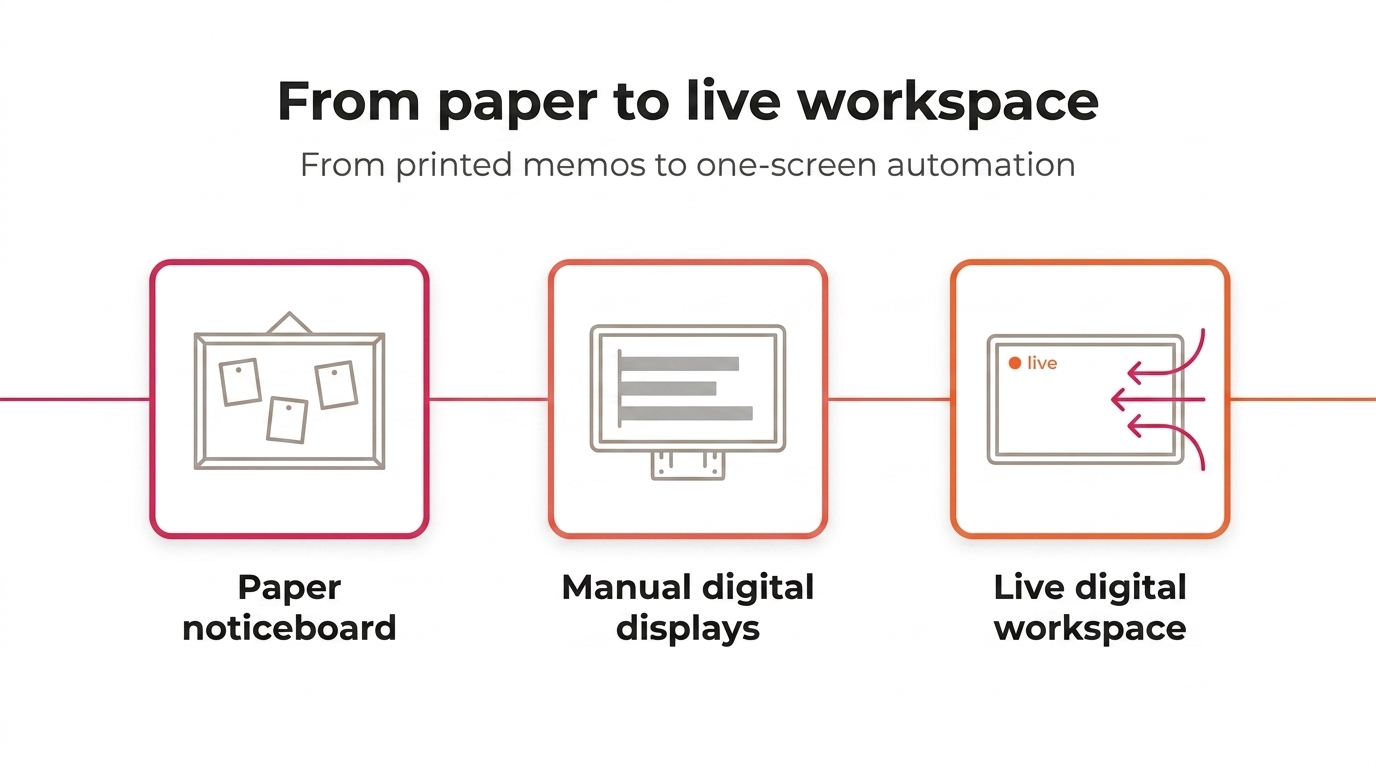
One of the key differences between traditional bulletin boards and modern digital signage is in how content is presented. Static noticeboards rely on printed materials that quickly become outdated and easy to ignore. With Valotalive, content becomes dynamic, visual and continuously up to date. Using tools like PowerPoint or Google Slides, combined with live integrations and automated Flows, you can display any relevant content such as videos, visuals, dashboards and real-time updates across your screens in the entire organisation.
This dynamic approach captures the audience and keeps any communication fresh, whilst making messages more engaging, memorable and visible.
Real-time communication, tailored to your needs
Traditional bulletin boards depend on manual updates, which makes keeping information current both slow and inefficient. With Valotalive, everything is easier. The information is managed digitally and updated automatically, which means your organisation’s screens are always updated without extra effort. Flows ensure that content is scheduled, prioritised and rotated in real time, which makes it easy to share updates, announcements or changes as they happen.
Valotalive also enables more targeted communication compared to one-size-fits-all noticeboards. With flexible screen layouts and content from multiple sources, you can tailor what is shown based on location, audience or context.
This means non-desk workers see information that is relevant to their role or environment.
Customer success story: modernizing shop floor communications with a digital bulletin board system
The challenge: inefficient internal communications
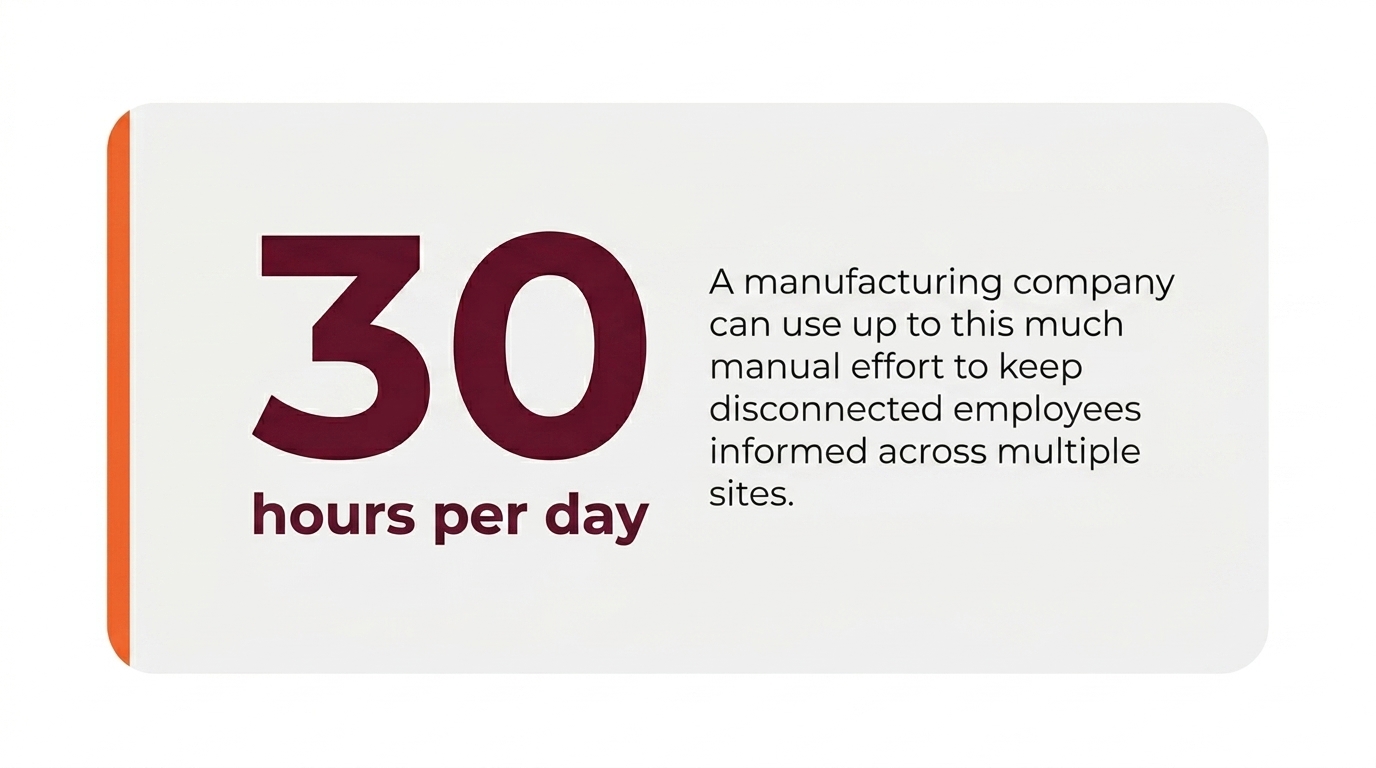
A global manufacturer struggled to communicate effectively with non-desk workers across 12 international production sites due to old-fashioned, manual processes:
- Manual updates: Teams updated physical and semi-manual bulletin boards twice daily across production sites in several countries.
- Outdated workflow: KPI reports and company announcements were printed and pinned by hand in some locations.
- Legacy systems: Even the digital displays required manual handling. Staff had to take screenshots of dashboards and upload them using content management software.
- Resource intensive: The process consumed an estimated 30 full working hours per day across the company.
- Information lag: KPI information was only refreshed twice per day, resulting in delayed and inefficient communication.
The solution: Valotalive + Power BI + centralized management
The customer implemented Valotalive to centrally manage all production screen content and automate real-time updates. By integrating Microsoft Power BI, dashboards update automatically on screens, while targeted announcements can be pushed directly from laptop or mobile.
This automated setup eliminates manual work, saves time, and keeps every site’s information up to date — production teams now respond to live data instead of yesterday’s reports.
Building your business case for digital bulletin boards
A strong business case highlights the shift from manual effort to automated value creation. This is focused on two core areas: time savings and access to real-time information.
1. Quantify manual effort and time savings
Start by listing all activities involved in maintaining physical or semi-manual bulletin boards:
- Capturing screenshots or preparing KPIs in editing tools
- Designing or formatting updates
- Printing materials
- Physically delivering and pinning content to boards across sites
Next, estimate the average hourly cost of the employees performing these tasks. Multiply this by the total daily time spent on updates per site, and then scale across all locations:
Total daily cost = (hours spent per site × hourly cost) × number of sites
This simple calculation highlights the operational cost of maintaining manual communication processes.
2. Value of consistent and up-to-date content
Digital bulletin boards significantly improve information freshness and accessibility. With a digital solution, content and KPIs can update automatically every 15 minutes or even in real time compared to manual updates that typically occur only once or twice per day.
This shift delivers more than cost savings. Real-time visibility enables:
- Faster response to production issues and quality deviations
- Improved operational efficiency and productivity
- Higher employee engagement through timely and relevant communication
Overall, digitising bulletin boards transforms internal communication from a manual, time-consuming task into an automated, always-current information flow that supports better decision-making and performance across the entire company.
Business case example: manufacturing industry
- Hourly rate based on average salary 33 USD/hour (source: Bureau of Labor Statistics)
- Time spent per site per day with two daily updates: 1.5 hours
- Number of sites: 12
- Daily cost (with manual updates): 33 × 1.5 × 12 = 594 USD per day
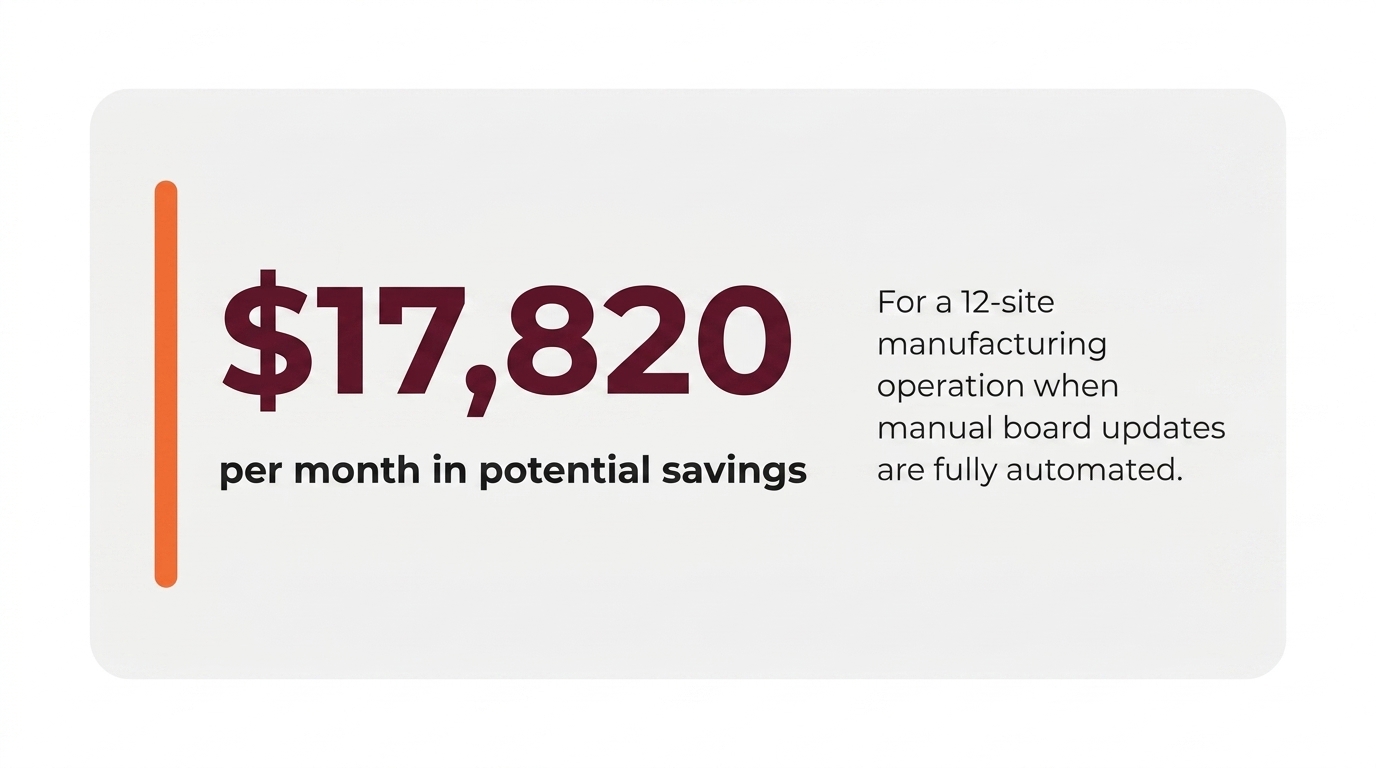
- Monthly cost (with manual updates): 594 × 30 = 17,820 USD per month
- Total potential savings: 17,820 USD per month (assuming full automation of updates)
Note: If not all updates are automated, savings should be adjusted accordingly.
Ready to try Valotalive to improve your messaging?
Whether you run multiple production sites, a distributed corporate workforce, or a single shop floor, Valotalive digital bulletin boards keep your teams informed in real time.
Start a free 14-day trial — no credit card required.
Read how ATS reaches distributed non-desk workers without delay with digital signage.
How to set up your digital bulletin board
Step 1 — Plan the content
Plan the content you’d like to display on your digital bulletin boards.
Identify the most important content. Companies in manufacturing use bulletin boards for operational dashboards, news and announcements as an example.
Evaluate whether you have updated this information in your business applications already (maybe the news posts are in SharePoint or the dashboards are located in Microsoft Power BI or Excel).
Step 2 — Choose the right platform
Choose the digital signage software that connects with the above-mentioned applications. This makes your life easier as you can connect with these to automate content updates.
Valotalive comes with turn-key integrations with Google & Microsoft business applications.
Step 3 — Purchase the hardware
Buy the screens for your locations. Any full HD or 4K screen monitor with HDMI input will do. Or maybe you have such displays in stock already?
Purchase the media players that will work with your displays. Valotalive runs on three supported platforms:
- ChromeOS (recommended) — the most robust and secure option. Recommended hardware: HP G4 Chromebox, Lenovo Chromebox Micro. Managed plug-and-play service available.
- Windows 10/11 — any PC or mini PC. Recommended: ASUS Mini PC PN41.
- Samsung Tizen (6.5 & 7.0) — runs directly on Samsung commercial displays. No external media player needed.
For full supported OS details, see the Valotalive help center.
Step 4 — Pair the displays with Valotalive
Download Valotalive from the Microsoft Store or Chrome Web Store on your media player. Then run the application. Once the application opens you will see an activation code on the screen.
Step 5 — Set up your content and go live
Once you have your display(s) set up, it is time to connect them with your content.
Applications in Valotalive connect with different business systems, like Microsoft Power BI, SharePoint or Excel to name a few.
A Flow is a programmatic playlist that displays content from multiple apps. You can adjust the weight (importance) of the content in Flow settings. This makes it possible for you to give more screen time to the most important content.
Assign your Flow to a display or a display group.
Enjoy your end-to-end automated digital bulletin boards
You have your displays in place, you have connected your business apps in Valotalive and the Flows are running on the displays. You can now forget about the management of your bulletin boards. As the data in the backend — for example a Power BI report — updates, the screens will follow.
In case you’d like to add the possibility to post ad-hoc announcements or posts, activate My Content Channel. My Content Channel makes it easy for local managers to post news, announcements and updates using their mobile devices or laptop.
Start your free trial and experience the innovative world of Valotalive digital signage for yourself.