Updated October 27, 2026
A digital signage content strategy is a plan for what your workplace screens should achieve, who needs to see each message, and which content and data source fills each screen. On a manufacturing or logistics site, that means deciding what goes on the production line, the tier-meeting board, the warehouse, the break room and the lobby, and who keeps each screen current.
This guide is for Data and BI teams, operations and Lean managers, and internal communications teams who plan screens for manufacturing and logistics sites. It walks through three steps, with examples from Valotalive customers. If you are still choosing a platform, start with the digital signage buyer’s guide.
What is a digital signage content strategy?
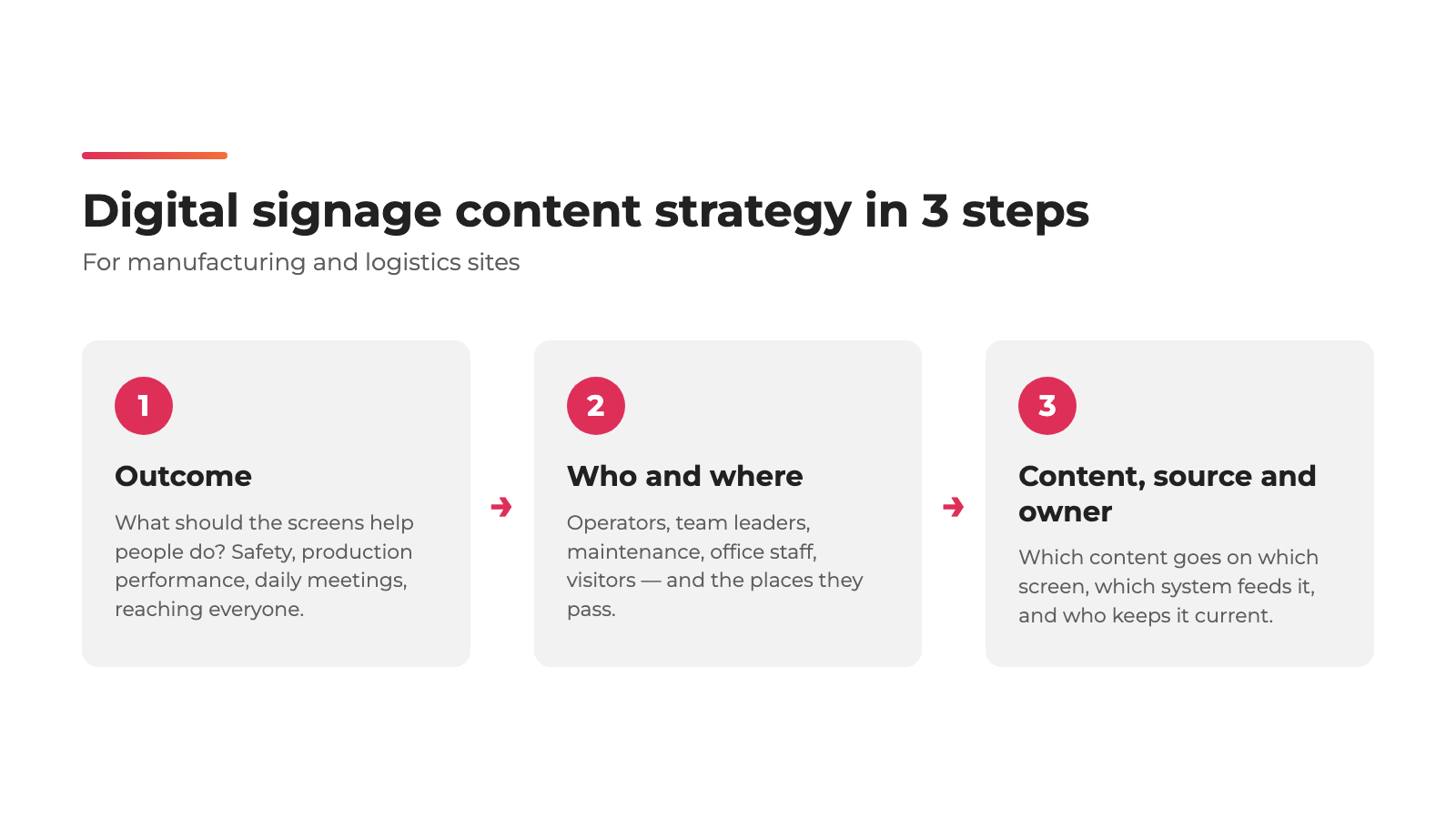
A digital signage content strategy answers three questions, in this order:
- Outcome: What should the screens help people do?
- Who and where: Who needs to see it, and where do they pass?
- Content, source and owner: Which content goes on which screen, which system feeds it, and who keeps it current?
Start from the outcome, not from the screens. “It should be the foundation of the content strategy to link Digital Signage use cases to support key business priorities,” says Tomi Paajanen, co-founder of Valotalive.
The second principle is to let content update itself. Screens that depend on someone rebuilding a PowerPoint go out of date, and people stop looking at them. Before it automated its screens, Rexel was using “an expensive on-premise system that was hard to integrate,” so the team “basically ended up building PowerPoint presentations and manually displaying already outdated data on info screens that weren’t reaching all employees anyway,” says Thomas Grüner, Manager WMS Tactical Board at Rexel (Rexel case study). Researchers call a related effect display blindness: in a 2009 study, Jörg Müller and colleagues found that “displays for which users expect uninteresting content (e.g. advertisements) are often ignored.” Content pulled from the systems you already use, such as Power BI, Excel, SharePoint or your intranet, stays current without extra work.
Step 1: What should your screens help people do?
Pick two or three outcomes that matter on your site right now. Most manufacturing and logistics sites choose from these four.
Keep people safe
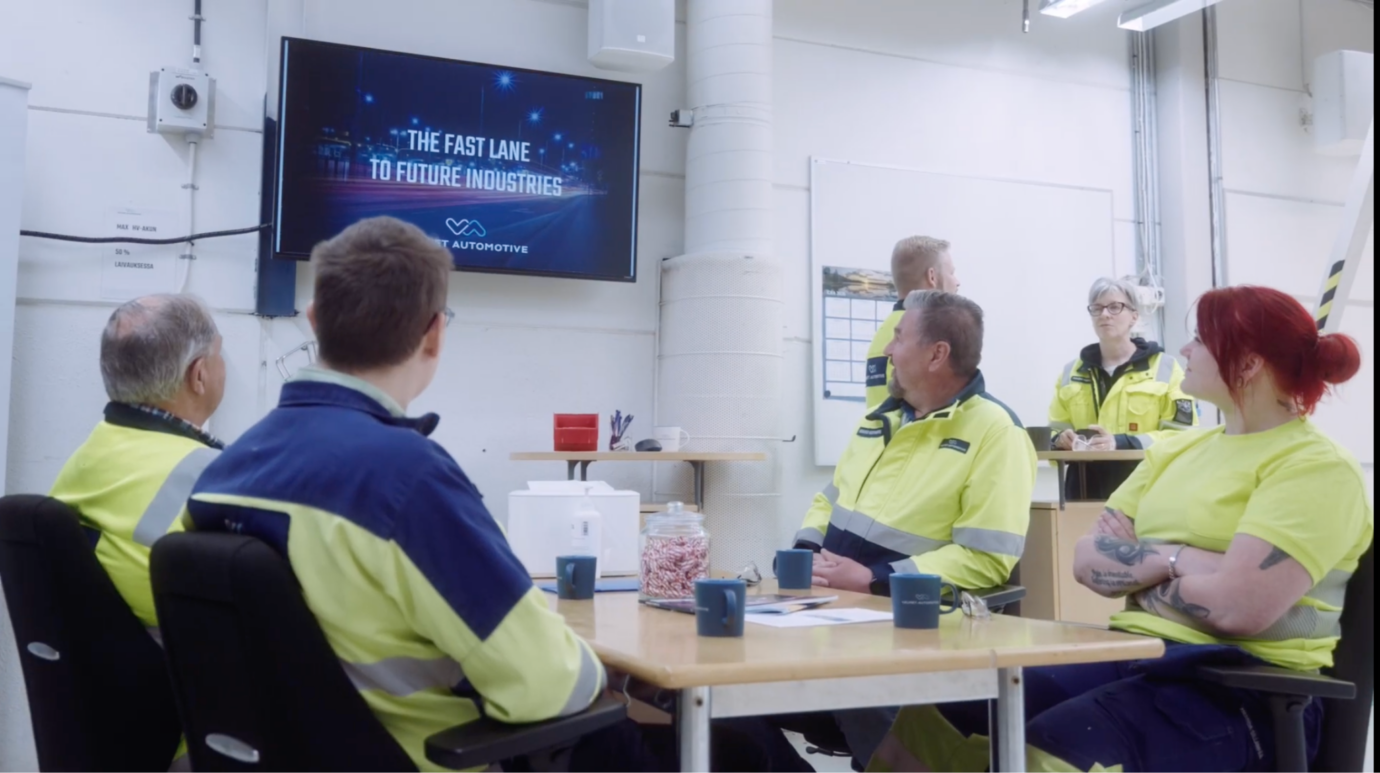
Safety alerts, incident notices, short safety briefings and an accident-free days counter. At Valmet Automotive, a contract manufacturer in Finland, 66 screens run across the plant. “If we spot a risk or an emerging concern, we can get the message out across the site the same day — and people react to it right away,” says Minna Lindell, the plant’s OHS Manager (Valmet Automotive case study). The screens also handle the unexpected: when a neighbouring company on the same site runs an evacuation drill, red screens reading “This is a drill at a neighbouring facility. There is no impact on Valmet Automotive operations. You can continue working as normal.” keep people calm. Emergency messaging is included in every Valotalive plan. More examples: safety and compliance screens and how screens help decrease accidents in manufacturing.
Show production performance where the work happens
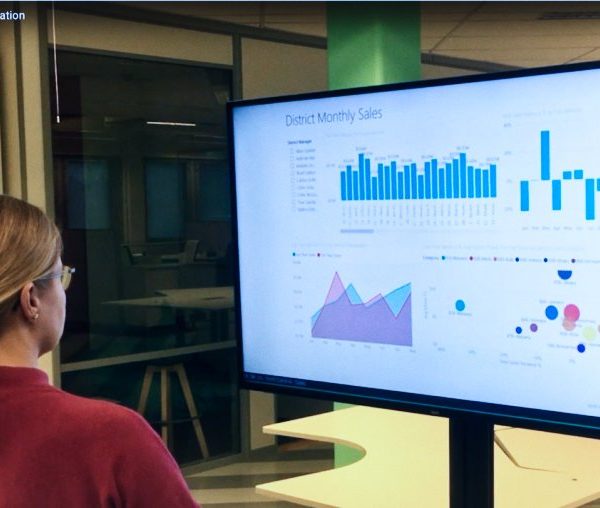
Live output, OEE (overall equipment effectiveness), quality and machine status on the line, straight from Power BI or Excel. At ATS, some site managers show a Power BI report called Equipment Status Monitor, with the status of the customer’s machinery, on screens in the factory (ATS case study). See how to share Power BI dashboards and reports on screens. More examples: live KPI screens for production.
Run daily management meetings on live data
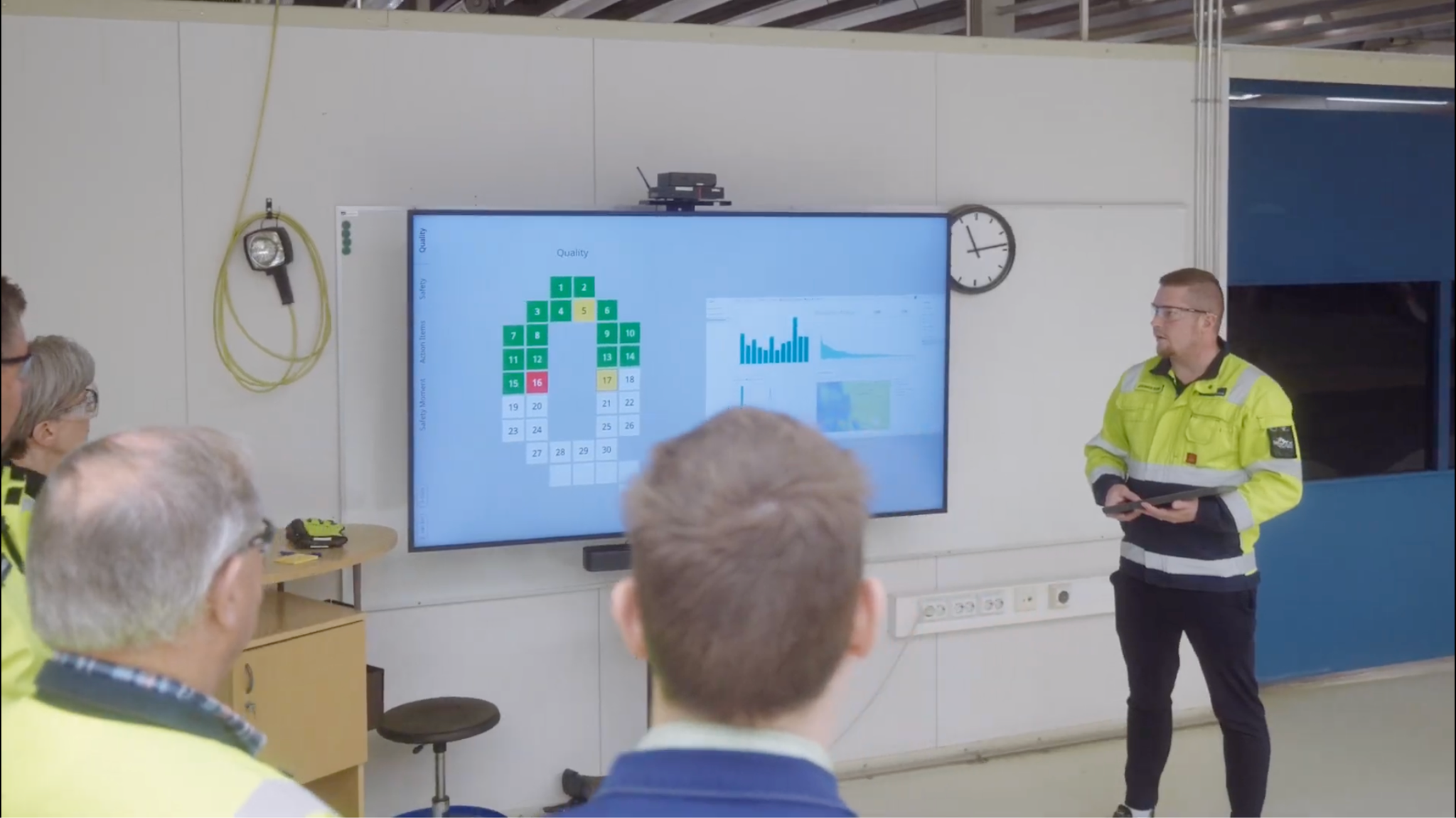
Tier meetings are short daily team meetings that go through safety, quality, delivery and the other pillars, and escalate issues level by level. They work best with the latest data on screen instead of a whiteboard. The Digital Tier Board (in early access) turns a screen into an interactive meeting board, and Valmet Automotive is now testing it for its floor meetings. Between meetings, the same screen shows live production data, safety updates and company news like any other signage screen, and it becomes interactive when the meeting starts. More on running tier meetings on screens.
Reach employees who don’t use email or the intranet
Company news, HR updates and shift information for people without a desk. As the ATS case study puts it: “Maintenance workers might not even check their ATS email weekly, let alone visit the company Intranet.” Screens in break rooms and work areas reach them where they already are, which also helps employee engagement. More on communicating with deskless workers.
Write the outcomes down. They become the first column of your content map in Step 3.
Step 2: Who needs to see it, and where?
Next, map the people behind each outcome to the places they actually pass. On most manufacturing and logistics sites, there are five groups:
- Operators and shift teams on the line and in the warehouse, at shift start and during breaks. For them, screens are often the main source of information.
- Team leaders and supervisors at the tier-meeting board and at shift change.
- Maintenance and quality teams near machines, goods-in and inspection points.
- Office staff, for whom screens repeat what is already on the intranet.
- Visitors at the entrance and in the lobby, where a screen may be their only source of site information.
Not every screen needs the same content. At Valmet Automotive, content is aimed at a specific area, shift or function, so the body shop area sees what matters to them, and the paint shop sees its own priorities.
In Valotalive, you do this with display groups: tag each screen by audience, location or function, for example internal and external, country, city, or QEHS, HR and production, and target content to each group (how to create display groups). Start with three groups: everyone on the site, local groups by area or function, and visitors. Add more as you go.
Step 3: Which content goes on which screen, and who keeps it current?
Now combine Steps 1 and 2 into a content map: one row per screen location, with the audience, the outcome, the content, the source and the owner. Use the content map template below, an example for a manufacturing site, and adjust it to your own site.
| Screen location | Who sees it | Outcome | Content | Source | Owner |
|---|---|---|---|---|---|
| Production line | Operators, shift teams | Production performance, quality | Output against target, OEE, quality pass rate, machine status | Power BI or Excel | Production manager; Data and BI team sets up the report once |
| Tier-meeting area | Team leaders, operators | Daily management | KPI status per pillar (safety, quality, delivery), supporting data, action items | Digital Tier Board with Power BI or Excel | Team leader |
| Warehouse and goods-in | Warehouse staff, inspectors | Throughput, quality | Volumes, picked items, supplier quality | Power BI or Excel | Warehouse or site manager |
| All screens on site | Everyone on site | Safety | Accident-free days, safety alerts, safety moments | Accident Free Days Counter, announcements | Safety (OHS) team |
| Break room | Everyone on site | Reaching everyone | Company news, HR updates, shift plan, recognition | Intranet or SharePoint news, Excel roster, announcements | Internal communications, team leaders |
| Entrance and lobby | Visitors | Visitor safety, welcome | Welcome messages, safety instructions, company news | Announcements, PowerPoint | Reception, communications |
| Office | Office staff | Alignment | Intranet news, company KPIs | SharePoint, Power BI | Internal communications |
Plan for the shift pattern
Content can follow the working day. Show the shift plan and a safety briefing before the shift starts, and production KPIs during the shift. In Valotalive, Flows (automated playlists) give important content more screen time with weights, and show time-bound content only during the periods you set, based on each display’s local time. For layout and readability, see digital signage content design best practices.
Give every row an owner
Screens that are nobody’s job go out of date. Owning a row rarely means updating it by hand:
- Whoever owns the data connects the report once. At ATS, site managers set up the Power BI filters once. “The timely portion is figuring out the filters in PowerBI just once,” says Holly Mosack, Director of Internal Communications at ATS. More on sharing business intelligence data on screens.
- Communications and HR schedule posts that remove themselves. “I love that I can post our performance reviews that expire on December 15, and I don’t have to do anything,” says Mosack. Announcements like these are made in My Content Channel.
- Team leaders add local content for their own area. At Valmet Automotive, content is managed by the plant’s own communications, safety and function-specific teams. “The team leaders bring their own content to their own area, which makes it even more relatable,” says Kirsi Kuitunen, Communications Manager.
- IT checks early that the service meets company security policies, and manages the screens centrally.
How often should digital signage content change?
Let the source decide. Live data from Power BI or Excel refreshes on its own, so production screens stay current without anyone touching them. Announcements can be scheduled to appear and expire automatically; at Valmet Automotive, nothing has to be taken down by hand. Review the content map itself when your priorities change, for example when a new safety focus or production target starts.
Should every screen show the same content?
No. Site-wide messages such as safety alerts belong on every screen, but most content works best when it matches the area: production data on the line, meeting data at the tier board, news and shift plans in the break room, welcome messages in the lobby. Display groups let you target content to each area without managing every screen separately.
Where should you start?
Start with one site and two or three outcomes. Build the content map, connect the sources you already use, name an owner for each row, and add screens and groups as you learn what works. For more on screens in factories, see digital signage for manufacturing, seven examples of live data on workplace screens and content ideas for your screens.
Try Digital Signage Today and unlock the Benefits for your Business
Start your free trial and experience the innovative world of Valotalive digital signage for yourself.